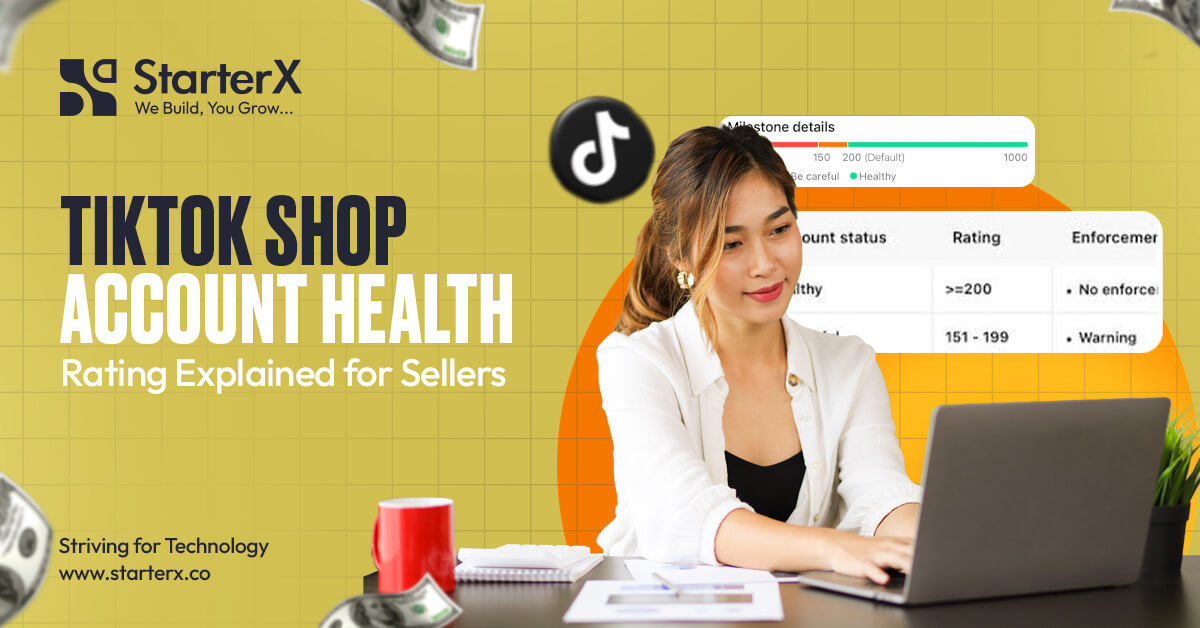
TikTok Shop Account Health Rating shows how well your shop follows TikTok Shop policies and meets the platform’s seller performance standards. It helps TikTok identify sellers who consistently provide a good customer experience and comply with marketplace rules. A healthy Account Health Rating reduces the risk of enforcement actions, while repeated policy violations or poor performance can lead to restrictions that affect your ability to sell.
Your Account Health is not something to check only after receiving a warning. Reviewing it regularly helps you identify problems early, fix violations within the allowed time, and keep your shop in good standing. Understanding what affects your Account Health Rating is one of the simplest ways to protect your business and avoid unnecessary disruptions.
TikTok Shop’s official Seller Enforcement Policy states that enforcement actions may include deducting points from your Account Health Rating (AHR) when sellers violate platform policies or fail to meet performance standards. TikTok also applies additional enforcement measures as a seller’s Account Health reaches specific milestones. The platform recommends checking the Account Health Rating page regularly because successful appeals or corrections can remove violations and restore affected privileges.
In this guide, you’ll learn what TikTok Shop Account Health Rating is, why it matters, what factors affect it, how policy violations impact your account, and the practical steps you can take to maintain a healthy seller account and reduce the risk of restrictions.
Key Takeaways
- Understand what TikTok Shop Account Health Rating is and why every seller should monitor it.
- Learn the main factors that influence your Account Health, including policy compliance, fulfillment performance, and customer experience.
- See how policy violations and repeated non-compliance can affect your seller account and lead to enforcement actions.
- Find out where to check your Account Health in Seller Center and why reviewing it regularly is important.
- Discover practical ways to improve and maintain a healthy Account Health Rating by following marketplace policies and seller best practices.
- Know what happens when your Account Health declines and how timely appeals or corrections may help restore your account status.
- Follow a simple compliance approach that helps reduce the risk of restrictions and supports long-term success on TikTok Shop.
What Is TikTok Shop Account Health Rating?
TikTok Shop Account Health Rating is a numerical score that shows the overall health of your seller account. It reflects the points your shop has earned or lost through order activity, policy compliance, performance standards, and policy quizzes during the previous 180 days.
TikTok Shop displays the Account Health Rating, or AHR, as a color-coded score from 0 to 1,000 points. New sellers start with 200 points. Your score can increase when you successfully complete eligible orders or pass policy quizzes linked to violations. It can decrease when your shop breaks a TikTok Shop policy or fails to meet a required performance standard.
Account Health Rating should not be confused with Shop Performance Score. AHR mainly reflects policy and performance compliance, while Shop Performance Score measures the customer experience your shop provides. Shop Performance Score focuses on product satisfaction, fulfillment and logistics, and customer service.
What the Account Health Rating represents
Your Account Health Rating represents your shop’s recent compliance and enforcement record. It gives you a clear view of how your business is performing against TikTok Shop policies and seller standards.
The score is based on activity from the previous 180 days. This means older activity can eventually stop affecting the rating, while new violations, completed orders, corrections, appeals, and policy quiz results may change your current score.
AHR does not replace individual violation records. You still need to open each violation notice to understand:
- Which policy was involved
- Why action was taken
- How many points were deducted
- Which selling privileges were affected
- Whether correction or appeal options are available
Why TikTok Shop uses an Account Health system
TikTok Shop uses Account Health Rating to apply seller rules in a consistent and visible way. The score allows the platform and the seller to track policy breaches, performance failures, positive order activity, and enforcement milestones in one place.
TikTok Shop may take action based on the nature, severity, and frequency of non-compliance. These actions can affect listings, account privileges, available funds, order volume, campaign access, or the ability to continue selling. AHR milestone actions may also apply when the rating falls to specific levels.
The rating gives sellers an early warning. A falling score shows that the shop needs attention before more serious restrictions are applied.
Who should monitor their Account Health
Every TikTok Shop seller should monitor Account Health, including sellers who have not received a recent warning. Account Health can change after policy violations, fulfillment failures, completed orders, successful corrections, appeals, or policy quizzes.
Account Health should be reviewed by anyone responsible for:
- Product listings
- Inventory and order fulfillment
- Customer service
- Returns and cancellations
- Product compliance
- Intellectual property documents
- Seller Center notifications
Agencies and brands with several staff members should assign one person to review Account Health and violation notices regularly. This reduces the risk of missing a correction or appeal deadline.
Why Your TikTok Shop Account Health Rating Matters
Your TikTok Shop Account Health Rating matters because a low score can trigger restrictions on your shop, even when individual products are still active. TikTok Shop applies additional milestone enforcement actions when AHR falls to 150, 100, 50, or 0 points. The restrictions become more serious as the score declines.
TikTok recommends keeping AHR above 150. Reaching a milestone may affect activities such as creating new listings or joining major campaigns for a set period. A rating of zero may lead to permanent shop deactivation. Severe or repeated violations can also result in enforcement without waiting for the account to reach a milestone.
A healthy rating matters in five main ways.
It protects your selling privileges
A healthy AHR helps your shop continue operating without milestone restrictions. When your score falls, TikTok Shop may limit specific account functions or take action against listings, funds, orders, campaigns, or the shop itself.
Keeping the score healthy does not guarantee that enforcement will never happen. A serious policy breach can still lead to immediate action based on its severity.
It helps you find compliance problems early
Your AHR and violation records can reveal problems with product listings, restricted items, fulfillment performance, intellectual property, or other seller requirements.
Finding a violation early gives you more time to correct the problem, prepare supporting documents, or submit an appeal when that option is available.
It reduces the risk of repeated violations
A single issue can become more serious when the same mistake appears across several listings or keeps happening over time.
For example, one inaccurate product claim may also appear in product titles, descriptions, images, videos, and LIVE content. Reviewing the violation details can help you correct the wider problem instead of fixing only one listing.
It supports stable shop operations
Account restrictions can interrupt listing activity, campaigns, order capacity, or access to seller features. These interruptions can affect sales even when customer demand remains strong.
Maintaining good Account Health helps reduce avoidable disruptions caused by compliance and performance failures.
It gives context for appeals and corrections
TikTok Shop allows sellers to correct some violations before enforcement takes effect or appeal an action they believe is incorrect. These options are not available for every case, and they must be completed within the timeline shown in the violation notice.
When a correction or appeal succeeds, TikTok Shop may remove the related enforcement action and restore withdrawn privileges. This is why Account Health should be checked before a deadline passes.
Where to Check Your TikTok Shop Account Health
You can check your seller Account Health in TikTok Shop Seller Center by opening Account Health and selecting Shop Health. This area shows your Account Health Rating, violation records, enforcement details, and available correction or appeal actions.
Use the following path:
Seller Center → Account Health → Shop Health
From Shop Health, open Violation Records to review individual notices. Select a violation to see its reason, current status, policy details, point deduction, and available next step.
Accessing the Account Health section in Seller Center
Log in to the Seller Center account connected to the shop you want to review. In the left menu, select Account Health and then open Shop Health.
The page may include:
- Your current AHR score
- AHR status or color
- Points earned and deducted
- Violation records
- Enforcement actions
- Policy quiz options
- Correction or appeal options
- Notifications that require action
Review the date and status of each record. A violation marked as pending may require a correction before enforcement begins, while an enforced violation may offer an appeal option.
Reviewing policy violations and notifications
Open each violation notice instead of relying only on the total Account Health score. The score tells you the overall condition of the shop, but the violation record explains what went wrong and what you can do next.
TikTok Shop’s violation and appeal guidance directs sellers to:
Seller Center → Account Health → Shop Health → Violation Records
From there, sellers can view violation details and use the available correction or appeal process. A correction is only offered for certain violations. An appeal also does not guarantee that the action will be removed.
Check for:
- The affected product, order, or shop activity
- The policy cited by TikTok Shop
- Evidence requested from the seller
- Correction or appeal deadlines
- The enforcement action already applied
- The number of AHR points involved
Monitoring seller performance regularly
Review Account Health as part of your normal shop management, not only after receiving a warning. A practical process is to check it at least once each week and after any important policy or fulfillment notification.
You should also review the relevant Seller Center performance pages. Fulfillment issues may appear in metrics such as:
- Valid Tracking Rate
- Late Dispatch Rate
- On-Time Delivery Rate
- Seller-Fault Cancellation Rate
These metrics help you find operational problems that may lead to performance enforcement. For example, TikTok Shop identifies Late Dispatch Rate as one of the four core fulfillment metrics used to assess shop health.
Shop Health and TikTok Account Health are different
Shop Health covers the seller shop, while TikTok Account Health covers linked creator accounts. Sellers should not use the two terms as if they refer to the same dashboard.
The TikTok Account Health page is used to review violations connected to the shop’s official TikTok account and linked marketing accounts. Shop Health is where sellers monitor the shop’s AHR, seller violations, and enforcement records.
What Factors Affect Your TikTok Shop Account Health Rating?
Your Account Health Rating is affected by points earned through eligible positive activity and points deducted for policy or performance failures. TikTok Shop reviews shop activity from the previous 180 days when showing the current AHR.
Sellers can earn AHR points through successfully finished eligible orders. TikTok Shop currently awards four points for every 200 eligible finished orders, with a maximum of 20 points earned this way per week. Returned, refunded, cancelled, defective, gift, and sample orders are not counted toward these order-based points. Sellers may also earn points by passing policy quizzes linked to violations.
Points may be deducted when a seller breaks TikTok Shop policies or fails to meet performance standards. The exact deduction and enforcement action can depend on the type, severity, and frequency of the issue.
Policy compliance
Following TikTok Shop seller policies helps protect your AHR from violation-related point deductions. Policy compliance covers more than the products you sell. It also includes product information, documents, fulfillment conduct, customer treatment, intellectual property, and other marketplace requirements.
Sellers should review the policy cited in each violation notice because different violations require different corrections and evidence.
Product listing accuracy
Product listings must accurately describe the item a customer will receive. Titles, descriptions, categories, images, variations, prices, labels, claims, and package details should be truthful and consistent.
Misleading information can create both policy and customer experience problems. Sellers should avoid:
- Unsupported product claims
- Images that show a different product
- Incorrect brand names
- Missing warnings or required information
- Inaccurate sizes, materials, quantities, or variations
- Listing an item in the wrong category to avoid approval rules
Order fulfillment performance
TikTok Shop may deduct AHR points or apply other enforcement when a shop fails to meet fulfillment requirements. Important fulfillment measures include valid tracking, dispatch speed, delivery performance, and seller-fault cancellations.
Late Dispatch Rate is one example. TikTok Shop recommends keeping LDR at or below 4%, and enforcement may apply when it exceeds 10%. Possible actions include AHR point deductions, order volume limits, or longer settlement periods.
Sellers should keep inventory accurate, process orders within the required service level, use valid tracking, and work with carriers that can scan parcels on time.
Customer complaints
Customer complaints can reveal listing, product quality, fulfillment, or service problems that require action. A complaint does not automatically prove that a policy was broken, but repeated complaints may point to a wider issue.
Common causes include:
- The product does not match the listing
- The parcel arrives late
- The wrong variation is sent
- The item arrives damaged
- The seller does not respond to the buyer
- The refund or return process is handled poorly
Review complaint patterns instead of treating each case as an isolated event.
Returns and cancellations
Returns and cancellations can affect shop performance when they result from seller-controlled problems. Examples include cancelling because an item is out of stock, sending the wrong item, providing inaccurate product details, or failing to dispatch the order.
Seller-Fault Cancellation Rate is also used in TikTok Shop’s fulfillment and logistics assessment for Shop Performance Score. This is separate from AHR, but poor cancellation control can still expose a shop to fulfillment enforcement when platform requirements are not met.
Not every return means the seller violated a policy. The reason for the return or cancellation matters.
Intellectual property compliance
Sellers must have the right to use the brands, images, logos, product designs, and other protected material in their listings. Selling counterfeit goods or using another party’s intellectual property without permission can result in listing removal and account enforcement.
Keep invoices, authorization letters, trademark permissions, licensing records, and supplier documents when they are relevant to your products. These records may be needed during product review or an appeal.
Repeated violations
Repeated violations create a higher enforcement risk because TikTok Shop considers the frequency of non-compliance as well as its severity. Fixing one listing will not solve the problem if the same issue remains on other products or keeps returning.
After receiving a violation, check:
- The affected listing or activity
- Other listings with the same wording, images, supplier, or product type
- Internal processes that allowed the mistake
- Staff access and training
- Inventory or documents connected to the violation
Factors That Affect Account Health Rating
| Factor | How it can help the account | How it can harm the account |
| Eligible completed orders | May add AHR points | Cancelled, returned, refunded, defective, sample, and gift orders do not earn these points |
| Policy quizzes | Passing a linked quiz may add points | Ignoring the underlying policy issue may lead to repeat violations |
| Policy compliance | Protects the shop from avoidable deductions | Violations may cause point deductions and enforcement |
| Listing accuracy | Sets clear expectations for buyers | Misleading or incomplete information may trigger violations |
| Fulfillment performance | Reliable dispatch and tracking support shop health | Late dispatch, invalid tracking, or seller-fault cancellations may lead to enforcement |
| Product compliance | Approved and authentic products protect the shop | Prohibited, restricted, unsafe, or counterfeit products can lead to serious action |
| Appeals and corrections | Successful action may remove enforcement | Missing the deadline can leave the violation and restriction in place |
Common Reasons Sellers Lose Account Health
Sellers usually lose Account Health points when they break a TikTok Shop policy or fail to meet a required performance standard. The most common causes involve inaccurate listings, prohibited or restricted products, authenticity issues, late fulfillment, seller-fault cancellations, poor handling of customers, and unresolved policy notices.
The points deducted and the action taken can vary. TikTok Shop considers the type, severity, and frequency of the problem.
Misleading product listings
A misleading listing gives buyers information that is false, incomplete, exaggerated, or inconsistent with the product delivered. This can include the title, description, images, price, brand, claims, size, quantity, condition, variation, or packaging.
Examples include:
- Showing accessories that are not included
- Claiming a product has features it does not have
- Using another brand’s name to attract searches
- Making unsupported health or performance claims
- Hiding important product limits
- Sending an item that differs from the selected variation
Check the complete product page before publishing, including images and variation labels.
Selling prohibited or restricted products
Prohibited products cannot be sold on TikTok Shop, while restricted products require the correct approval or qualification before listing. Sellers should confirm the policy and category requirements before buying inventory or creating a product page.
Listing a restricted product without approval may lead to product removal, AHR point deductions, refunds, revoked selling access, or other enforcement. TikTok Shop may also ask for more documents after a product is already live.
Approval for one product or category does not automatically cover every similar item.
Counterfeit or unauthentic products
Selling counterfeit products is a serious violation that can lead to strong enforcement against the listing or seller account. A seller should be able to show where branded inventory came from and that it is authentic.
Useful records may include:
- Supplier invoices
- Purchase orders
- Brand authorization letters
- Distribution agreements
- Product serial information
- Import or customs documents
Avoid suppliers who cannot provide clear business details or proof of authenticity.
Shipping orders late
Late dispatch can damage fulfillment performance and may lead to AHR deductions or other shop restrictions. TikTok Shop measures if qualifying orders receive a carrier scan within the required dispatch service level.
For US sellers, TikTok Shop states that orders must generally be picked up and scanned by the carrier within two business days so the status changes to “In Transit.” Sellers are advised to keep Late Dispatch Rate at or below 4%, while a rate above 10% may trigger enforcement.
Create a daily process for order cutoffs, packing, carrier pickup, scan checks, and delayed-order review.
High cancellation rates
Seller-controlled cancellations signal that the shop may not be able to fulfill the orders it accepts. Common causes include inaccurate inventory, pricing errors, missing products, processing delays, and unsupported delivery areas.
To reduce seller-fault cancellations:
- Sync inventory across sales channels
- Pause out-of-stock products
- Set realistic handling capacity
- Review orders each day
- Fix repeated SKU or variation errors
- Avoid listing inventory that is not ready to ship
Buyer-requested cancellations and seller-fault cancellations should not be treated as the same issue.
Poor customer service
Poor customer service becomes a shop health risk when sellers ignore buyer concerns, provide unclear information, or fail to handle after-sale issues properly. Fast replies alone are not enough. The response must also be accurate and useful.
Your customer service team should understand:
- Product details
- Shipping status
- Return and refund rules
- Damaged or missing item procedures
- Escalation steps
- What they must not promise to buyers
Keep replies clear and professional, and record recurring complaints so the root cause can be fixed.
Ignoring policy warnings
Ignoring a violation notice can allow a correctable problem to become an enforced restriction. Some sellers may be offered a correction before enforcement takes effect. Others may be allowed to appeal after enforcement when they believe the decision is incorrect.
These options depend on the violation and must be completed within the stated deadline. Review the notice, correct related listings, prepare relevant evidence, and respond through Seller Center.
Do not submit unrelated documents or claim that every violation is a system error. A strong response directly addresses the policy reason shown in the notice.
Understanding TikTok Shop Violation Points
TikTok Shop violation points are deductions from your Account Health Rating when your shop breaks a policy or fails to meet a required performance standard. The number of points deducted depends on the type, severity, and frequency of the violation.
Violation points affect the shop’s overall Account Health Rating, which ranges from 0 to 1,000. TikTok Shop reviews points earned and lost during the previous 180 days. Each deducted point resets 180 days after the date it was deducted, unless a successful correction or appeal removes the violation earlier.
What violation points are
Violation points show how a policy or performance issue has affected your shop’s Account Health Rating. They help TikTok Shop track non-compliance across product listings, fulfillment, customer service, intellectual property, restricted products, and other seller requirements.
A violation notice may include:
- The policy involved
- The reason for the violation
- The number of AHR points deducted
- The affected listing, order, or shop activity
- The enforcement action
- The correction or appeal deadline
- A related policy quiz, when available
Not every warning deducts points. TikTok Shop may issue warning-only notices that do not result in penalties or other enforcement actions. Sellers should still review these warnings because the same issue may lead to action if it continues.
How sellers receive violation points
Sellers receive violation points after TikTok Shop identifies a breach of seller policy or a failure to meet a required performance standard. TikTok Shop sends violation notices through email and the Seller Center Inbox. Additional notification channels may be used for serious cases.
Possible causes include:
- Misleading or incomplete product listings
- Selling prohibited or unapproved restricted products
- Counterfeit or unauthentic goods
- Intellectual property violations
- Late dispatch or invalid tracking
- Seller-fault cancellations
- Poor customer service performance
- Fraudulent or abusive seller activity
- Repeated non-compliance
The exact point deduction is shown in the violation record. Sellers should not assume that every violation carries the same number of points.
How violation history affects Account Health
Violation history affects Account Health because TikTok Shop considers both the severity and frequency of non-compliance. Several repeated issues can reduce the score faster and may lead to stronger enforcement.
The Account Health page looks at the previous 180 days. During this period:
- New deductions lower the score
- Deducted points return after 180 days
- Earned points also expire after 180 days
- Successful appeals may remove enforcement
- Approved corrections may stop enforcement before it takes effect
- Passed policy quizzes may add AHR points
This rolling period means a shop’s score can move up or down even when no new violation appears that day. An older deduction may reset, or older earned points may expire.
Why repeated violations increase enforcement risk
Repeated violations increase enforcement risk because they show that the seller has not corrected the underlying compliance problem. TikTok Shop may review the violation type, account history, risk profile, frequency, and severity before deciding what action to take.
For example, repeated listing violations may show that:
- Staff are copying inaccurate product information
- The seller has not reviewed category rules
- Supplier documents are missing
- Restricted items are being listed without approval
- The same misleading claim appears across several products
After receiving a violation, audit all listings and processes connected to the issue. Correcting only the reported product may not prevent another violation.
Violation points, corrections, appeals, and quizzes
| Seller option | What it means | When it applies | Possible result |
| Correction | The seller accepts that a listing issue exists and fixes it | Before enforcement, when offered | Approved correction cancels the enforcement |
| Appeal | The seller disputes the violation decision | After enforcement, or after a failed correction | Successful appeal removes enforcement and restores affected privileges |
| Policy quiz | The seller reviews a policy and passes a related quiz | When a quiz is attached to a violation | AHR points may be added |
| Milestone quiz | The seller completes a quiz after reaching an AHR milestone | At 150, 100, or 50 points, when available | The duration of milestone restrictions may be reduced |
Correction, appeal, and quiz options are not available for every violation. Sellers must use the options shown in their violation ticket or Account Health page.
What Happens If Your Account Health Declines?
When your TikTok Shop Account Health Rating declines, your shop becomes more likely to face listing limits, campaign restrictions, account controls, or deactivation. TikTok Shop applies milestone enforcement when the score reaches 150, 100, 50, or 0 points.
TikTok Shop recommends keeping the rating above 150. The account is in the green zone at 200 points or more, the orange zone from 51 to 199 points, and the red zone at 50 points or fewer.
Warning notifications
TikTok Shop warns sellers when their Account Health Rating is 10 points away from the next milestone. This gives the seller time to review violations, complete available policy quizzes, and correct ongoing problems before another milestone action begins.
A warning should lead to an immediate review of:
- Recent violations
- Repeated policy issues
- Open corrections
- Appeal deadlines
- Available policy quizzes
- Fulfillment performance
- Listings with similar risks
A warning does not mean the shop should wait for another deduction before acting.
Listing restrictions
TikTok Shop may stop a seller from creating new product listings when the Account Health Rating reaches a milestone.
Current US milestone restrictions include:
| AHR milestone | New listing restriction | Mega campaign restriction |
| 150 points | 7 days | 7 days |
| 100 points | 14 days | 14 days |
| 50 points | 28 days | 28 days |
| 0 points | Account may be permanently deactivated | Account may be permanently deactivated |
These restrictions affect new listings and new mega campaign enrollment. Existing enforcement attached to specific violations may also remain active.
Reduced selling privileges
A declining rating can affect more than product listings. Depending on the violation, TikTok Shop may apply restrictions to account functions, order volume, funds, settlement periods, campaigns, products, or other selling privileges.
The enforcement action depends on the policy involved. For example, a fulfillment violation may lead to different controls than a counterfeit product violation.
Sellers should open each violation record to see the actual restriction. Do not rely only on the AHR total.
Temporary enforcement actions
Temporary enforcement actions may limit the shop for a stated period while allowing it to continue other approved activities. Milestone restrictions at 150, 100, and 50 points last for 7, 14, and 28 days respectively under the current US AHR requirements.
A milestone quiz may reduce the duration of some milestone restrictions. To pass, the seller must receive a perfect score. The quiz does not erase the cause of the original violation, so the seller must still fix the process that lowered Account Health.
Permanent account suspension in serious cases
An Account Health Rating of zero may lead to permanent seller account deactivation. TikTok Shop states that reactivation is at its sole discretion.
A shop may also face serious action before reaching zero if a violation is severe or presents a high level of risk. Sellers should not treat the AHR score as permission to continue risky activity until the next milestone.
What to do when the score starts falling
Take these steps as soon as the rating declines:
- Open Seller Center → Account Health → Shop Health → Violation Records.
- Sort recent notices by date and severity.
- Check which violations deducted points.
- Complete a correction when the option is available.
- Appeal only when you have a valid reason and supporting evidence.
- Take linked policy or milestone quizzes.
- Audit similar listings and internal processes.
- Monitor the score and enforcement status after submitting any action.
How to Improve Your TikTok Shop Account Health Rating
You can improve your TikTok Shop Account Health Rating by stopping new violations, correcting eligible issues, winning valid appeals, passing available policy quizzes, and completing eligible orders successfully. There is no single action that instantly restores every lost point.
The best recovery plan combines compliance, order performance, accurate listings, and timely responses to violation notices.
Follow TikTok Shop policies consistently
The most reliable way to improve Account Health is to prevent new point deductions. Review the policies that apply to your products, category, fulfillment method, customer service, and promotional content.
Create an internal policy checklist for:
- Prohibited and restricted products
- Product category approval
- Product authenticity
- Intellectual property rights
- Listing claims and images
- Shipping and tracking
- Returns and refunds
- Customer communication
Do not wait for TikTok Shop to flag a listing before reviewing it.
Keep product listings accurate
Accurate listings reduce the risk of policy violations, customer complaints, returns, and seller-fault cancellations.
Check each listing for:
- Correct product title
- Accurate brand name
- Clear size and quantity
- Matching images and variations
- Supported product claims
- Correct category
- Required warnings
- Honest condition and material details
- Complete package contents
Update all duplicate or related listings when one violation reveals a wider problem.
Ship orders on time
Reliable dispatch and valid tracking help protect your shop from fulfillment-related enforcement. TikTok Shop measures fulfillment through metrics such as Late Dispatch Rate, Valid Tracking Rate, On-Time Delivery Rate, and Seller-Fault Cancellation Rate.
TikTok Shop advises US sellers to keep Late Dispatch Rate at or below 4%. A rate above 10% may lead to actions such as AHR point deductions, order limits, or longer settlement periods.
Improve dispatch performance by:
- Keeping inventory accurate
- Setting daily order cutoffs
- Packing orders promptly
- Scheduling reliable carrier pickups
- Confirming carrier scans
- Reviewing orders that remain unscanned
- Pausing products that cannot be fulfilled
Respond to customer issues quickly
Fast and useful customer support can prevent small order problems from becoming complaints, cancellations, or negative customer experiences.
TikTok Shop’s current US service standard asks sellers to maintain a 24-Hour Response Rate of at least 90%. A rate below 85% may lead to additional enforcement actions. A greeting alone does not count as a valid response. The reply must address the customer’s question.
Customer service staff should have clear steps for:
- Delayed orders
- Wrong products
- Damaged items
- Missing parcels
- Return requests
- Refund questions
- Product details
- Escalated complaints
Monitor Seller Center notifications
Checking Seller Center regularly helps you respond before correction, appeal, or quiz deadlines expire.
TikTok Shop sends violation notices through email and the Seller Center Inbox. Serious violations may also be shared through additional channels.
Assign responsibility for daily review of:
- Seller Center Inbox
- Violation Records
- Warning Records
- Shop Health
- Performance metrics
- Policy updates
- Open support cases
Fix violations promptly
A Correction allows an eligible seller to fix a listing before the related enforcement takes effect. Correction is not offered for every violation.
When available:
- Open the pending violation.
- Read the cited policy.
- Correct the live listing.
- Upload the requested proof.
- Submit the correction for review.
- Check the result before the deadline.
If approved, the enforcement is cancelled. If the correction fails, enforcement applies and the seller may still have an appeal option.
Submit a clear appeal when the decision is wrong
An appeal should be used when you believe TikTok Shop issued the violation in error. It should not be used as a replacement for fixing a genuine policy breach.
The first appeal must normally be filed within 30 days of the violation notice. If it is rejected, a second appeal must be filed within 15 days of that decision. Sellers are limited to two appeals per violation. Some immediate enforcement cases have shorter windows of 12 to 72 hours, as shown in the violation notice.
A useful appeal includes:
- A direct explanation of why the decision is incorrect
- Product or supplier invoices
- Brand authorization
- Listing screenshots
- Shipping records
- Tracking information
- Photos or videos
- Any document requested in the notice
A successful appeal removes the enforcement action and restores withdrawn privileges. Approval is not guaranteed.
Keep proof of product authenticity when required
Authenticity records help sellers respond to product reviews and intellectual property violations.
Keep clear copies of:
- Supplier invoices
- Purchase orders
- Distribution agreements
- Brand authorization letters
- Trademark permissions
- Import documents
- Product serial numbers
- Supplier contact details
Documents should match the seller, supplier, brand, product, quantity, and dates involved.
Complete available policy quizzes
Passing a linked policy quiz can add points to the Account Health Rating. Passing a milestone quiz can reduce the duration of some milestone restrictions.
The quiz must be completed with a perfect score. Policy quizzes are not available for every violation, and milestone quizzes are not available after the account reaches zero and is deactivated.
Complete eligible orders successfully
Successfully finished orders can add points to the AHR over time. TikTok Shop currently awards four points for every 200 eligible finished orders, with a maximum of 20 order-based points per week.
Sample, returned, refunded, cancelled, and defective orders do not count toward these points.
This method can support recovery, but it should not replace fixing the cause of violations.
Account Health recovery action plan
| Problem | Immediate action | Long-term fix |
| Inaccurate listing | Correct or remove the listing | Add a pre-publish listing review |
| Late dispatch | Process delayed orders and check scans | Improve inventory and carrier workflows |
| Authenticity violation | Submit valid records when appealing | Use approved suppliers and store invoices |
| Restricted product issue | Pause the product and review approval rules | Check category requirements before sourcing |
| Repeated violation | Audit every related listing | Train staff and update internal checks |
| Falling AHR | Complete eligible quizzes and review notices | Prevent new deductions and improve order performance |
Best Practices to Maintain a Healthy Account
The best way to maintain a healthy TikTok Shop account is to review compliance and seller performance before problems turn into violations. Regular checks are more effective than reacting only after the Account Health Rating falls.
Review Account Health every week
A weekly Account Health review helps sellers find warnings, deductions, deadlines, and recurring problems early.
During each review, check:
- Current AHR score and color
- Distance from the next milestone
- New violation records
- Pending corrections
- Appeal deadlines
- Available quizzes
- Fulfillment metrics
- Warning records
Shops with high order volume should review these areas more often.
Stay informed about policy updates
TikTok Shop policies can change, so sellers should review current Seller Center guidance instead of relying on old screenshots or third-party summaries.
Assign a team member to check:
- Policy Center updates
- Seller Center announcements
- Category requirement changes
- Fulfillment rule updates
- Returns and refund changes
- New product approval requirements
Document important changes and share them with all staff who manage the shop.
Audit product listings
Regular listing audits help find inaccurate claims, missing details, restricted products, and intellectual property risks before enforcement occurs.
A listing audit should compare:
- The live product page
- The actual product and packaging
- Supplier documents
- Category requirements
- Brand permissions
- Product images and videos
- Variations and prices
- Required safety information
Prioritize high-volume products, branded goods, regulated categories, and listings with frequent complaints or returns.
Monitor fulfillment metrics
Fulfillment metrics show if the shop is dispatching, tracking, and delivering orders as required.
Review:
- Valid Tracking Rate
- Late Dispatch Rate
- On-Time Delivery Rate
- Seller-Fault Cancellation Rate
- Unscanned parcels
- Out-of-stock cancellations
- Carrier delays
Look for patterns by warehouse, carrier, SKU, day, and staff member. A repeated pattern usually needs a process change, not a one-time correction.
Train staff on compliance
Every person who edits listings, handles inventory, ships orders, or replies to buyers can affect Account Health.
Training should cover:
- Product policy checks
- Accurate listing requirements
- Restricted category approvals
- Authenticity documents
- Dispatch deadlines
- Tracking rules
- Customer response standards
- Violation handling
- Appeal evidence
Limit Seller Center access to staff who need it and assign clear responsibility for compliance reviews.
Keep customer service responsive
Customer messages should receive a meaningful reply within the required service period. A useful response answers the customer’s actual question and gives a clear next step.
Use saved replies only as a starting point. Staff should confirm the order, product, shipping status, or return issue before responding.
Review repeated questions because they may reveal unclear listings or product quality problems.
Maintain accurate inventory
Accurate inventory reduces out-of-stock cancellations, delayed dispatch, and customer complaints.
Use a central inventory record when selling across several channels. Update stock after:
- New purchases
- Returns
- Damaged inventory
- Warehouse transfers
- Bulk orders
- Product recalls
- Listings paused on another marketplace
Do not keep a product active when the available quantity cannot be confirmed.
Keep compliance records organized
Organized documents make product checks and appeals easier to handle.
Create folders by:
- Brand
- Supplier
- Product
- Purchase date
- Invoice
- Authorization
- Import record
- Safety certificate
- Violation case
Use clear file names and keep unedited originals.
TikTok Shop Account Health Checklist
A TikTok Shop Account Health checklist helps sellers monitor compliance, fulfillment, customer service, and violation deadlines in one repeatable process.
Use this checklist weekly and after every violation notice.
Account Health review
- Check the current AHR score.
- Confirm the Account Health color zone.
- Check the distance from the next milestone.
- Review new violations and warnings.
- Open every unread violation record.
- Record point deductions and reset dates.
- Check available policy and milestone quizzes.
Violation response
- Read the exact policy cited in the notice.
- Identify the affected listing, order, or shop activity.
- Check the correction deadline.
- Check the appeal deadline.
- Fix related listings and internal processes.
- Collect relevant evidence.
- Submit only accurate and complete documents.
- Track the final decision in Seller Center.
Product and listing compliance
- Confirm that each product is allowed on TikTok Shop.
- Check approval rules for restricted categories.
- Verify product authenticity.
- Confirm brand and intellectual property rights.
- Match titles, images, variations, and descriptions to the actual product.
- Remove unsupported claims.
- Add required warnings and product information.
- Audit similar listings after any listing violation.
Fulfillment performance
- Keep inventory quantities accurate.
- Review orders every business day.
- Dispatch within the required timeline.
- Use valid tracking information.
- Confirm that carriers scan parcels.
- Review late or unscanned orders.
- Monitor seller-fault cancellations.
- Check delivery performance by carrier.
Customer service
- Review unanswered buyer messages.
- Provide meaningful replies within 24 hours.
- Track repeated complaints.
- Resolve wrong, damaged, missing, or delayed orders correctly.
- Review return and refund reasons.
- Update listings when complaints reveal unclear information.
Documents and team controls
- Store invoices and purchase orders.
- Keep brand authorization records.
- Save category approval documents.
- Maintain supplier contact details.
- Train staff on current policies.
- Limit Seller Center access.
- Assign one person to monitor Account Health.
- Review policy updates with the team.
Conclusion
TikTok Shop Account Health Rating gives sellers a clear view of their shop’s policy compliance and recent performance history. A healthy score helps the shop avoid milestone restrictions, while repeated violations can reduce selling privileges and may eventually lead to deactivation.
Do not wait for the rating to reach 150 points before taking action. Review Account Health regularly, respond to every violation before its deadline, correct the cause of repeated issues, and keep product, fulfillment, and customer service processes compliant.
Sellers can support recovery through approved corrections, valid appeals, available policy quizzes, and successfully finished eligible orders. However, the strongest long-term approach is simple: prevent new violations by managing the shop carefully every day.
Need Help Managing Your TikTok Shop?
Maintaining a healthy TikTok Shop Account Health Rating requires consistent attention to policy compliance, product listings, fulfillment, and customer experience. Missing a violation or performance issue can quickly affect your selling privileges and slow your store’s growth.
If you’d rather focus on growing your business, StarterX can help. As a TikTok Shop seller agency, we provide end-to-end support, including account management, listing optimization, policy compliance monitoring, order management, customer support, TikTok Shop advertising, and affiliate management to help keep your store compliant and performing at its best.
Book a free strategy call with StarterX and let our TikTok Shop experts help you protect your Account Health, reduce compliance risks, and grow your sales with confidence.
👉 Book a free consultation with StarterX: https://starterx.co/appointment/
FAQs
What is a good TikTok Shop Account Health Rating?
A TikTok Shop Account Health Rating of 200 points or more is considered healthy and appears in the green zone. TikTok Shop recommends keeping AHR above 150 to avoid milestone restrictions. Scores from 51 to 199 are in the orange zone, while 50 points or fewer are in the red zone.
Can my Account Health improve over time?
Yes, Account Health can improve through successful eligible orders, passed policy quizzes, approved appeals, corrections, and the reset of older deducted points. Deducted AHR points return 180 days after the deduction date. Earned points also expire after 180 days.
How often does TikTok Shop update Account Health?
TikTok Shop updates Account Health as points are earned, deducted, restored, or reset. The score reflects shop activity from the previous 180 days, so it may change after orders, violations, quizzes, appeal decisions, corrections, or point expiry. TikTok does not describe AHR as a fixed monthly score.
Can I appeal a TikTok Shop policy violation?
Yes, you may appeal an enforcement action when you believe TikTok Shop issued it in error and the violation record offers an appeal option. The first appeal must normally be submitted within 30 days. A second appeal may be filed within 15 days after the first rejection. Some immediate enforcement cases have shorter deadlines.
Do violation points expire?
Yes, deducted Account Health Rating points reset 180 days after the date they were deducted. This does not mean sellers should ignore a violation, because the related enforcement action may still affect the shop and repeated issues may lead to additional penalties.
Does one violation suspend a TikTok Shop account?
One violation does not always suspend a TikTok Shop account, but a serious violation can lead to immediate and strong enforcement. The action depends on the type, severity, frequency, account history, and risk connected to the violation.
What should I do after receiving an Account Health warning?
Open the violation record immediately, read the cited policy, and check the available correction, appeal, or quiz options. These actions are time-sensitive. Once the deadline expires, the option may no longer be available.
How can I avoid future TikTok Shop violations?
You can reduce future violations by checking product eligibility before listing, keeping descriptions accurate, proving product authenticity, meeting fulfillment deadlines, responding to buyers, and reviewing Account Health regularly. After any violation, audit similar listings and correct the internal process that caused the problem.

The StarterX Team is a group of e-commerce experts with years of hands-on experience in launching, managing, and scaling online businesses. As trusted authorities in the e-commerce space, we’ve helped entrepreneurs grow successful stores on Amazon, Shopify, TikTok, and Walmart. Backed by real-world results and a data-driven approach, we deliver proven strategies and insights you can trust to succeed in the digital marketplace.