
You can start a Shopify store by choosing a profitable niche, setting up your store, adding optimized products, configuring payments and shipping, and launching with a clear marketing strategy. Following a structured process helps you build a strong foundation and avoid costly mistakes early on.
However, many e-commerce businesses fail due to poor planning, weak marketing, and a lack of product-market fit. Studies show that around 70% of e-commerce businesses fail within their first year, with failure rates reaching 80% to 90% over time, especially without strong traffic strategies and user experience optimization. This is why many sellers work with a professional Shopify agency to avoid critical mistakes and build a store designed for growth.
Skipping niche validation, product optimization, or customer acquisition makes it difficult to generate sales or scale.
Shopify makes launching easier with fast onboarding, built-in tools, and global payment integrations, allowing stores to go live quickly. But success depends on how well your store is optimized for search visibility, user experience, and conversions.
To build a profitable Shopify store, you need a clear strategy covering SEO, product positioning, and customer trust signals. Many sellers use Shopify agencies to streamline setup and scale efficiently.
What are the Key Steps to Launching a Shopify Store in 2026?
Launching a Shopify store in 2026 requires a structured process:
- Choose a profitable niche with proven demand.
- Create your Shopify account and select the right plan.
- Pick a custom domain to establish brand identity.
- Select and customize a theme for user experience.
- Add and optimize products with images and descriptions.
- Set up payments and shipping for smooth transactions.
- Install essential apps to automate and scale.
- Market your store using SEO, ads, and social commerce.
In this guide, you will learn the exact roadmap outlined above to launch your Shopify store in 2026 with confidence and clarity. Now, let’s start with the first steps to building your store.
What Are the First Steps to Starting a Shopify Store in 2026?
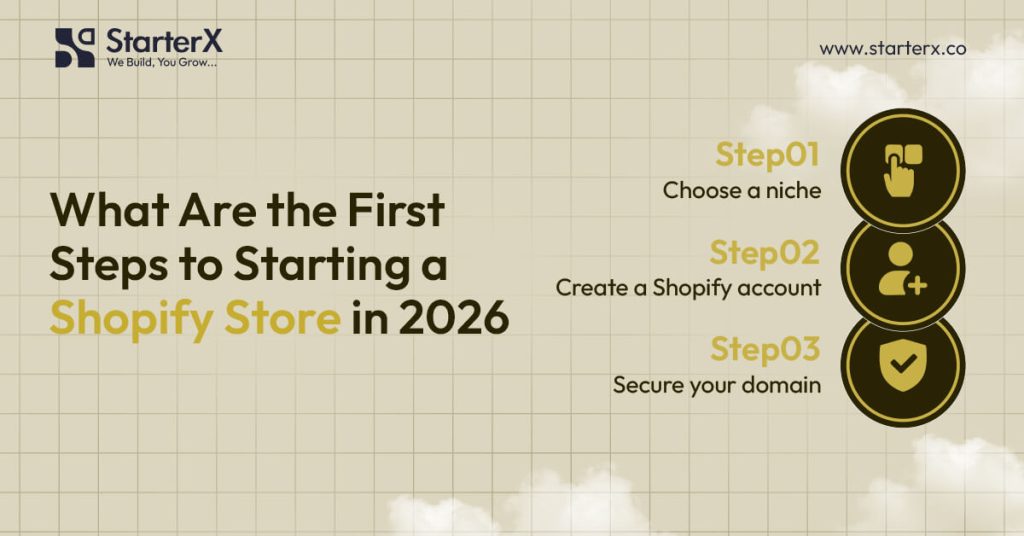
The first steps to starting a Shopify store in 2026 are choosing a profitable niche, creating your Shopify account, and securing a custom domain. These actions create the foundation for your store’s design, products, and marketing.
The first steps to starting a Shopify store in 2026 are choosing a profitable niche, creating your Shopify account, and securing a custom domain. These actions create the foundation for your store’s design, products, and marketing. Avoiding common Shopify store mistakes at this stage can help you set up your store correctly and prevent costly issues as you grow.
1. Choose a Profitable Niche
A profitable niche defines who you sell to and the problems your products solve. According to Statista’s 2025 e-commerce report, fast-growing markets include sustainable clothing, health supplements, pet technology, and smart home devices. Choosing the right niche makes it easier to attract buyers and stand out in a crowded market.
2. Create Your Shopify Account
You create your Shopify account by signing up on Shopify.com and selecting a plan. Prices start at $39 per month and include hosting, SSL security, and store management features. In 2026, the setup process is faster, with automated theme and payment suggestions based on your chosen products.
3. Secure a Custom Domain Name
A custom domain improves brand trust and search visibility. It should be short, memorable, and keyword-friendly. Shopify allows you to purchase and connect your domain directly from the admin dashboard.
How Do You Choose a Profitable Niche for Your Shopify Store?
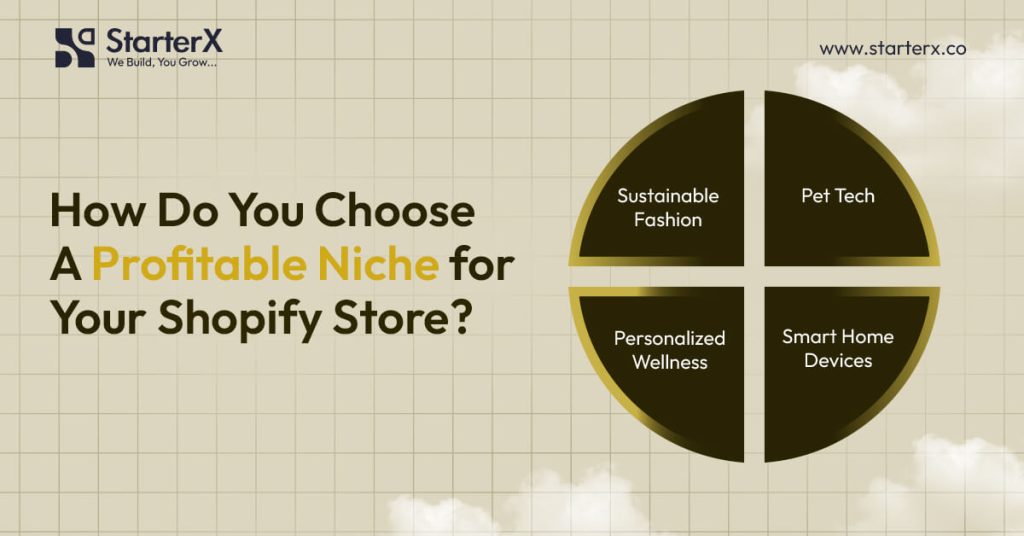
You choose a profitable niche for your Shopify store in 2026 by targeting markets with proven demand, repeat purchase behavior, and sustainable growth potential. A well-researched niche lowers competition risk and improves conversion rates.
What Makes a Niche Profitable?
A niche is profitable when three conditions are met: strong demand, loyal customers, and room for competition. According to eMarketer’s 2025 forecast, top-performing e-commerce verticals include:
- Sustainable fashion and accessories with the rising demand for eco-friendly textiles
- Personalized health and wellness products like supplements and fitness tracking kits
- Pet technology and smart devices, such as GPS trackers and interactive feeders
- Eco-friendly lifestyle products, including reusable home goods and green energy solutions
Profitability also depends on customer lifetime value (CLV). Niches with consumables or subscription models, like supplements or pet food, create repeat orders that increase revenue over time.
Which Tools Can You Use to Research Niches?
Reliable data validates niche potential. Common tools include:
- Google Trends to track search interest and seasonal demand
- Statista for market size, demographics, and revenue forecasts
- Ahrefs or SEMrush for keyword research and competitor traffic analysis
- Shopify Market Insights to see trending products across categories
- Amazon Best Sellers and Etsy Trends for product lifecycle insights
Combining these tools helps you compare demand, cost-per-click (CPC), and competition levels to identify viable opportunities.
Why Is Understanding Your Audience Essential?
Every niche depends on a clear buyer persona. Analyzing customer demographics, psychographics, and income levels reveals purchase motivators. For instance, health-conscious millennials may prioritize clean-label supplements, while pet owners often pay more for smart gadgets that improve safety.
Audience insights also shape content strategy, product positioning, and pricing models, ensuring that your Shopify store aligns with consumer expectations.
How Can You Test Niche Profitability?
Testing reduces risk before investing heavily. Effective validation methods include:
- Running small paid ad campaigns to measure click-through and conversion rates
- Creating pre-order or waitlist landing pages to gauge buyer intent
- Launching a limited inventory release to test sales volume
- Tracking customer acquisition cost (CAC) against potential margins
If engagement, conversion, and margins are positive, the niche shows strong profit potential.
How Do You Set Up a Shopify Account in 2026?
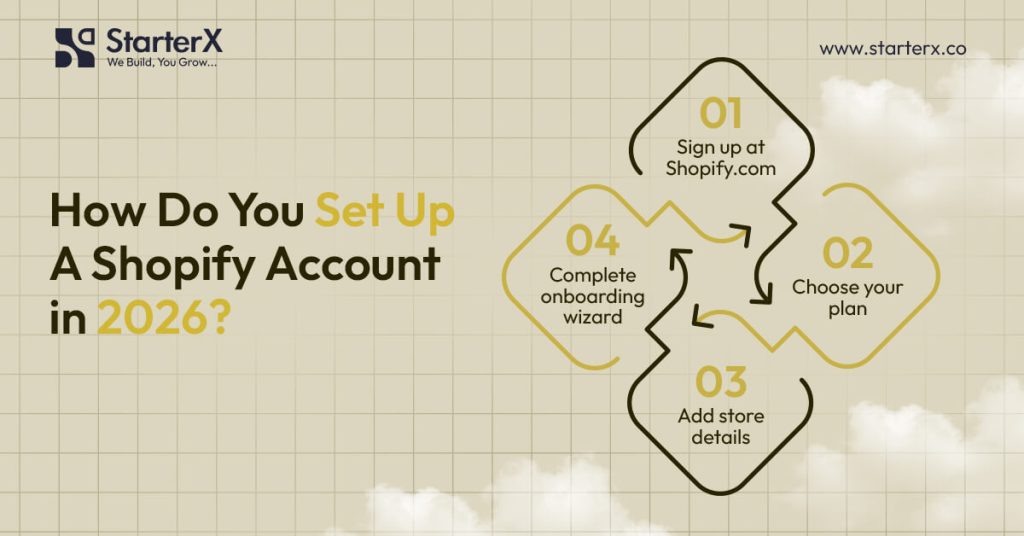
You set up a Shopify account in 2026 by registering on Shopify.com, selecting the right subscription plan, and completing the onboarding process. The platform’s setup wizard helps sellers configure their online store efficiently, even without technical skills.
How Do You Sign Up for Shopify?
Go to Shopify.com and click Start Free Trial. Enter your email, store name, and password. After registration, Shopify directs you to the account dashboard, where you can manage store settings, sales channels, and product catalog configuration.
Which Shopify Plans Are Available in 2026?
Shopify provides tiered subscription plans designed for different stages of growth:
| Plan | Monthly Price | Best For | Key Features |
| Basic | $39 | New e-commerce sellers | 2 staff accounts, standard reporting, checkout customization |
| Shopify | $105 | Growing businesses | 5 staff accounts, advanced analytics, professional reports |
| Advanced | $399 | Scaling merchants | 15 staff accounts, third-party calculated shipping rates, and detailed reports |
| Plus (Enterprise) | Custom | High-volume enterprises | Dedicated account manager, automation workflows, API access, global scalability |
Choosing the correct plan ensures access to features like multi-currency checkout, fraud protection, and advanced analytics.
How Has the Onboarding Process Changed in 2026?
Shopify’s 2026 onboarding is more intelligent. The wizard recommends themes, payment gateways, and shipping configurations based on your product type and target market. This personalization reduces manual setup and improves time-to-launch for new sellers.
Why Should You Complete Store Settings Early?
Configuring foundational settings before design or marketing prevents errors later. Key areas include:
- Business information: Legal name, address, and customer service contacts
- Currency and language localization: Match your primary target market
- Tax compliance: Set VAT, GST, or state-level sales tax rules for accurate billing
- Legal policies: Refund, privacy, and terms of service pages for customer trust
Completing these steps early ensures compliance, accurate checkout processes, and a smooth customer experience.
How Do You Select and Customize a Shopify Theme?
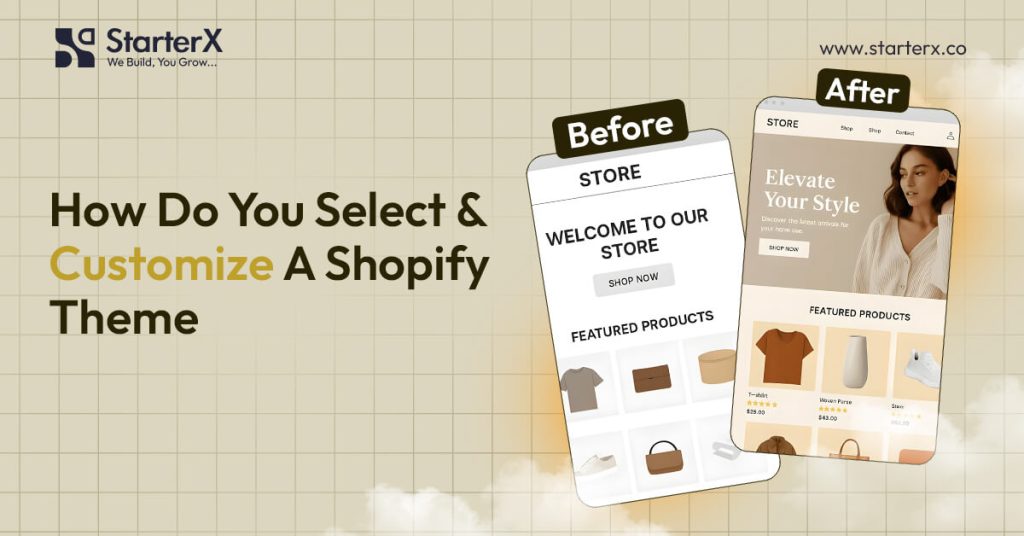
You select and customize a Shopify theme by choosing a template from the Shopify Theme Store and tailoring it to your brand identity, product catalog, and target audience. The right theme influences user experience, navigation, and conversion performance.
How Do You Choose the Right Shopify Theme?
A profitable Shopify store needs a theme that balances performance, usability, and design consistency. With over 80 percent of e-commerce traffic coming from mobile devices in 2026 (Datareportal, 2025), a mobile-responsive layout is essential for accessibility and search rankings. Many brands also rely on Shopify store design services to create customized themes that align with their brand identity and improve user experience.
Key attributes of a strong theme include:
- Speed and performance: Lightweight code ensures faster load times, reducing bounce rates
- Responsive design: Optimized for smartphones, tablets, and desktops
- SEO-friendly structure: Built-in schema markup, clean URLs, and metadata support
- Scalable flexibility: Modular sections that adapt as your catalog grows
- Conversion-oriented UI: Clear product grids, optimized checkout flow, and visible trust signals
Where Can You Find Shopify Themes?
The Shopify Theme Store provides free and premium templates designed for different industries.
- Free themes suit small catalogs and lean startups
- Paid themes (priced around $150–$350) often include advanced UX features like mega menus, smart product filters, and customizable landing pages
Many merchants also explore third-party marketplaces such as ThemeForest, but Shopify’s native store guarantees compatibility and updates.
How Do You Customize a Shopify Theme?
Customization happens in the Shopify admin under Online Store > Themes > Customize. Merchants can:
- Upload logos, brand colors, and typography for consistent branding
- Optimize the homepage layout with hero banners, featured collections, and promotional sliders
- Add strong call-to-action buttons to improve click-through rates
- Configure navigation menus and footer links for better site structure
- Enable customer reviews, product recommendations, and social proof widgets to build credibility
- Adjust the checkout design for a seamless user experience
For more advanced functionality and custom features, many businesses choose Shopify development services to tailor their store beyond standard theme capabilities and ensure everything runs smoothly as they scale.
Why Is Theme Customization Important?
A customized theme strengthens your brand presence, user trust, and conversion rate optimization (CRO). Research by Baymard Institute found that improving navigation design and checkout flow can increase conversion rates by up to 35 percent. A tailored theme also improves accessibility compliance, customer engagement, and average order value (AOV) by aligning with buyer expectations.
How Do You Set Up Payments and Shipping Options?
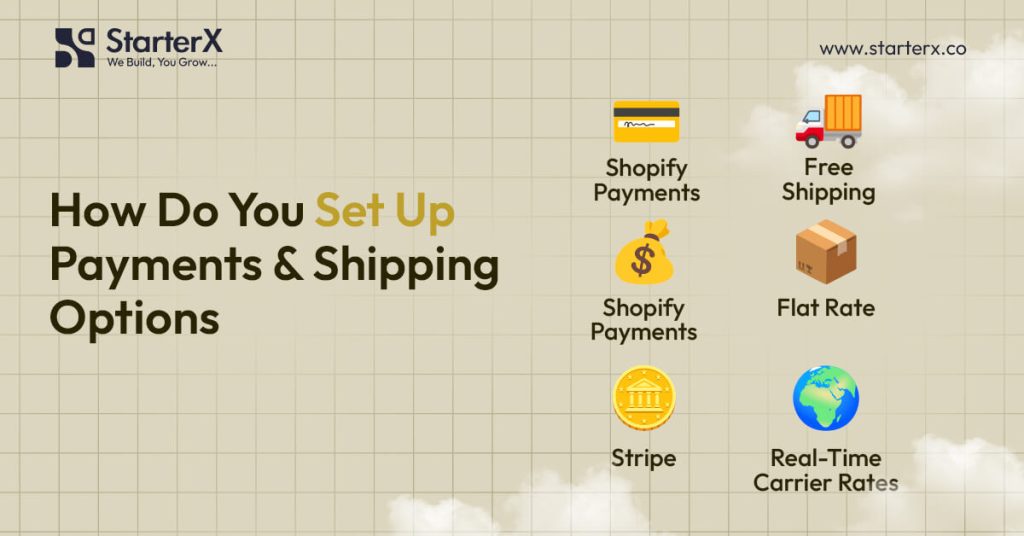
You set up payments and shipping in Shopify by enabling payment gateways in your store settings and configuring shipping rates that suit your products and customers. Both steps ensure smooth transactions and reliable delivery.
How Do You Enable Payments in Shopify?
From the Shopify dashboard, go to Settings > Payments. Choose one or more gateways:
- Shopify Payments → Supports credit cards, debit cards, Apple Pay, Google Pay
- PayPal and Stripe → Widely trusted third-party gateways
- Cryptocurrency options → Accepted in select markets by 2026
- Local gateways → Such as UPI (India) and PIX (Brazil)
Activating multiple gateways reduces failed checkouts and serves international buyers.
How Do You Configure Shipping Options?
Go to Settings > Shipping and Delivery. Shopify lets you set rates by order value, product weight, or destination. Common options include:
- Free shipping thresholds (e.g., free shipping on orders above $50)
- Flat-rate shipping for simple pricing
- Real-time carrier rates through UPS, DHL, FedEx
- Local delivery or pickup for regional customers
Why Are Payments and Shipping Critical?
Research from Baymard Institute (2025) shows that 48 percent of abandoned carts happen due to extra costs or limited payment methods. Offering flexible payments and transparent shipping reduces drop-offs and builds trust.
What Shopify Apps Should Every Store Install in 2026?
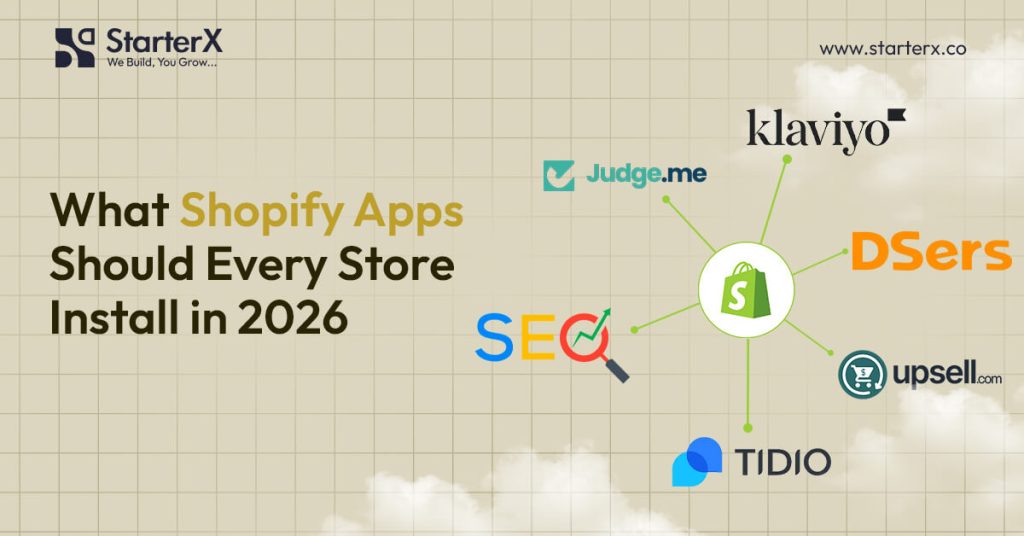
By 2026, every Shopify store should install apps that strengthen SEO, automate digital marketing, improve inventory management, and enhance the customer experience. Choosing the essential apps for a new Shopify store helps extend Shopify’s native features, reduce manual work, and support long-term scalability.
Which Apps Improve SEO and Visibility?
SEO apps increase discoverability and ensure products rank in Google search results. They optimize technical SEO, metadata, and structured data for better click-through rates.
- SEO Manager optimizes meta titles, descriptions, and schema markup
- Plug in SEO detects broken links, duplicate content, and site speed issues
- Schema Plus enables rich snippets for reviews, ratings, and product details
Which Apps Help With Marketing and Retention?
Marketing automation tools nurture customer relationships and improve lifetime value (CLV). They support multi-channel campaigns across email, SMS, and social media.
- Klaviyo personalizes email and SMS campaigns with segmentation and analytics
- Omnisend creates omnichannel workflows across email, SMS, and push notifications
- Recart retargets customers through Messenger, WhatsApp, and remarketing flows
- PushOwl delivers abandoned cart reminders via web push notifications
Which Apps Manage Inventory and Fulfillment?
Inventory and order management apps prevent stockouts, streamline logistics, and support supply chain efficiency.
- DSers automates dropshipping workflows and supplier integrations
- Stocky tracks inventory, forecasts demand, and generates purchase orders
- ShipStation centralizes order fulfillment and integrates with carriers like FedEx, UPS, and DHL
- Easyship simplifies cross-border shipping and customs documentation
Which Apps Enhance Customer Experience and Conversions?
Customer-facing apps build trust, support conversion rate optimization (CRO), and increase repeat purchases. Many businesses also use Shopify CRO services to further optimize user experience, improve conversion rates, and maximize revenue from existing traffic.
- ReConvert customizes post-purchase flows with upsells and thank-you page offers
- Judge.me collects verified reviews and user-generated content (UGC) with star ratings
- Tidio combines live chat, chatbot automation, and customer support ticketing
- Loox adds visual social proof with photo and video reviews
Why Are Shopify Apps Essential in 2026?
Shopify covers core e-commerce features, but apps extend functionality with analytics, personalization, CRM, automation, and CRO tools. Many businesses also rely on Shopify automation services to streamline repetitive tasks, improve efficiency, and scale operations without manual effort.
How Do You Market a Shopify Store in 2026?
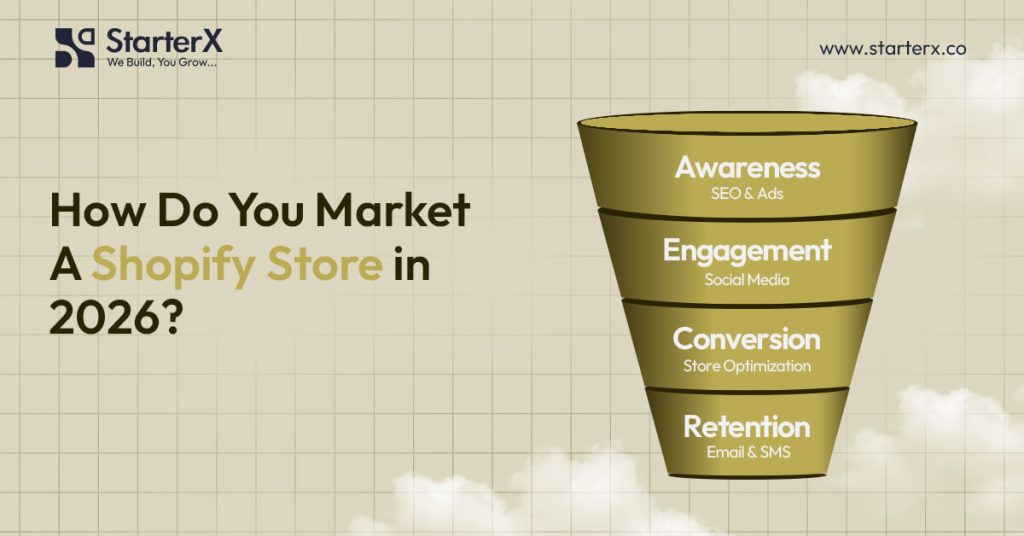
You market a Shopify store in 2026 by combining search engine optimization, paid advertising, social commerce integrations, influencer marketing, and retention strategies like email and SMS campaigns. Using multiple digital marketing channels ensures visibility, customer acquisition, and long-term growth. Many businesses also use Shopify marketing services to plan and execute data-driven campaigns that improve reach, engagement, and conversions.
How Do You Use SEO for Shopify?
SEO improves organic traffic and lowers customer acquisition costs. To truly optimize your Shopify store for search engines, you need a mix of technical fixes, content strategy, and on-page improvements. Optimizing a store involves:
- Crafting keyword-rich product titles and meta descriptions
- Writing long-form blog content around buyer intent queries
- Adding structured data and product schema for rich results
- Compressing images and improving page speed for mobile shoppers
- Building internal links across product categories and collections
Consistently monitoring performance through tools like Google Search Console and analytics helps identify what’s working and where improvements are needed. For businesses that want faster and more strategic results, Shopify SEO services can provide expert insights, technical optimization, and ongoing support. Over time, a well-optimized Shopify store builds authority, ranks higher, and drives more qualified traffic that converts into sales.
How Do Paid Ads Drive Growth?
Paid campaigns generate quick exposure. In 2026, the most effective platforms are:
- Google Shopping Ads for high-intent searches
- TikTok Ads for viral short-form video marketing
- Meta Ads (Facebook and Instagram) for retargeting campaigns
- YouTube Shopping Ads for visual product discovery
Targeting attributes like demographics, interests, and purchase behavior improves return on ad spend.
How Does Social Commerce Expand Sales?
Social commerce shortens the path from discovery to checkout. Shopify integrates with:
- Instagram Shops for lifestyle-driven purchases
- TikTok Shop for trending, impulse-friendly products
- Pinterest Shopping for visual search-based buying
- YouTube Shopping for seamless in-video purchases
Why Is Email and SMS Marketing Essential?
Retention marketing builds customer lifetime value. Tools like Klaviyo and Omnisend allow segmentation by behavior, purchase history, and engagement level. Automated campaigns include:
- Abandoned cart recovery
- Personalized product recommendations
- Seasonal promotions and loyalty rewards
How Does Influencer Marketing Work in 2026?
Influencers amplify reach by leveraging community trust. Micro-influencers with 10k to 50k followers often outperform celebrities with higher engagement rates. Authentic partnerships improve credibility and increase conversions.
Why Use Multi-Channel Marketing?
Relying on a single channel is risky. Shopify’s Future of Commerce 2025 Report shows that stores using at least three channels, such as SEO, paid media, and social commerce, achieved 200 percent higher revenue growth compared to single-channel stores.
Final Thoughts: How to Grow Beyond Launch
Starting a Shopify store in 2026 is straightforward when you follow a proven roadmap: choose a profitable niche, set up your account, customize your theme, add optimized products, configure payments and shipping, install essential apps, and market across multiple channels. Each step builds the foundation for a store that attracts buyers and generates consistent sales.
The real work begins after launch. Success in e-commerce depends on adapting to customer behavior, improving your store experience, and scaling with strategies like SEO, paid ads, and social commerce. A focus on customer retention through loyalty programs, personalized campaigns, and reliable fulfillment ensures long-term growth.
Your Shopify journey does not stop at launch. It continues with testing, refining, and expanding your store to reach more customers and increase profitability in a competitive digital market.
StarterX is an e-commerce agency that helps new and growing Shopify stores succeed with tailored strategies, technical support, and hands-on expertise.
👉 Book your free consultation with us today and take the first step toward building a profitable Shopify business in 2026.
FAQs About Starting a Shopify Store
How much does it cost to start a Shopify store in 2026?
Starting costs begin at $39 per month for the Basic Shopify plan. Extra expenses include a domain name, paid apps, and marketing. Most new sellers spend between $200 and $500 to launch.
Is dropshipping still profitable with Shopify in 2026?
Yes. Dropshipping remains profitable when sellers focus on trending niches, high-quality suppliers, and optimized product pages. Growth areas include pet tech, eco-friendly products, and personalized health supplements.
Yes. Dropshipping remains profitable when sellers focus on trending niches, high-quality suppliers, and optimized product pages. Growth areas include pet tech, eco-friendly products, and personalized health supplements. If you’re evaluating whether this model fits your goals, understanding the success potential of Shopify dropshipping can help you make a more informed decision before getting started.
Can you run a Shopify store without inventory?
Yes. You can use dropshipping apps like DSers or print-on-demand services such as Printful and Gelato. These models let you sell products without buying or storing stock.
Which payment gateways are best for Shopify in 2026?
Shopify Payments works worldwide and supports credit cards, Apple Pay, and Google Pay. Stores often add PayPal, Stripe, and local gateways such as UPI in India or PIX in Brazil to serve global customers.
Which is better in 2026: Shopify or Amazon FBA?
Shopify gives full control over brand, design, and customer relationships. Amazon FBA provides fast fulfillment and access to Prime buyers. Many merchants use both to diversify sales channels.
Shopify gives full control over brand, design, and customer relationships. Amazon FBA provides fast fulfillment and access to Prime buyers. For a deeper comparison between both platforms, understanding the differences between Shopify and Amazon helps clarify which model fits your business goals. Many merchants use both to diversify sales channels.
How long does it take to launch a Shopify store in 2026?
A simple Shopify store can be launched within 24 to 48 hours. Adding a catalog, custom design, and marketing setup usually takes one to two weeks.
Do Shopify stores need SEO in 2026?
Yes. SEO helps product pages rank in Google and increases organic sales. Optimizing titles, meta descriptions, and schema markup improves visibility while reducing paid advertising costs.
Do you need a business license for Shopify in 2026?
In most countries, yes. A legal business registration and tax ID are required to comply with regulations, accept payments, and run ads. Always check local requirements before launch.
What shipping options work best for Shopify stores?
Best practices include offering free shipping thresholds, flat rates for domestic orders, and real-time carrier rates for international deliveries. Local pickup and delivery options increase trust for regional buyers.
Can you sell digital products on Shopify?
Yes. Shopify supports digital products such as e-books, courses, templates, and software. Apps like Digital Downloads and SendOwl automate delivery after purchase.
What are the best Shopify apps for new sellers in 2026?
Top apps include SEO Manager for search optimization, Klaviyo for email marketing, DSers for dropshipping, Judge.me for reviews, and ReConvert for upsells.
How do you scale a Shopify store after launch?
Scaling requires multi-channel marketing, CRO testing, loyalty programs, influencer collaborations, and upgrading to Shopify Plus for automation and advanced analytics.

The StarterX Team is a group of e-commerce experts with years of hands-on experience in launching, managing, and scaling online businesses. As trusted authorities in the e-commerce space, we’ve helped entrepreneurs grow successful stores on Amazon, Shopify, TikTok, and Walmart. Backed by real-world results and a data-driven approach, we deliver proven strategies and insights you can trust to succeed in the digital marketplace.