

.svg)
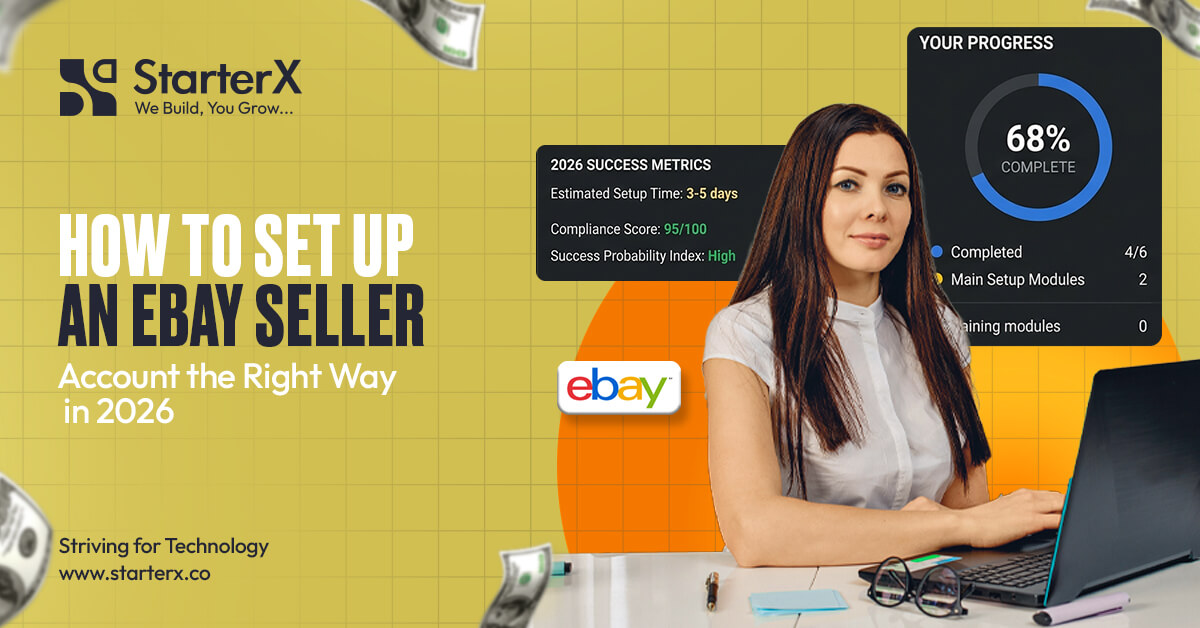
Setting up an eBay seller account starts with creating or signing in to an eBay account, choosing the right seller type, adding accurate contact details, completing seller verification, connecting payout details, and preparing payment, shipping, and return policies before your first listing goes live.
This step matters because your seller account setup affects verification, payouts, buyer trust, order handling, and long-term account health. If your details are wrong, your payout method does not match your account type, or your policies are unclear, you can face delays before you even start selling properly.
eBay is still a large marketplace with strong buyer activity. In its Q1 2026 results, eBay reported 136 million active buyers worldwide and $22.2 billion in gross merchandise volume. That means new sellers are entering a marketplace with real buyer demand, but a clean account setup is the first step before trying to win those buyers. Source: eBay Inc. Q1 2026 Results.
This guide explains how to set up an eBay seller account the right way, including personal vs business account selection, seller verification, payout setup, Seller Hub, business policies, Store setup decisions, and the most common setup mistakes new sellers should avoid.
Key Takeaways
- An eBay seller account is more than a basic eBay login. It must be ready for selling, payouts, orders, buyer messages, returns, and seller performance tracking.
- Choose a personal account for casual selling and a business account for regular selling. Your account type should match how you plan to sell and how your payout details are set up.
- Use real and consistent information from the start. Your name, business details, address, phone number, and payout method should match where needed to reduce verification and payout issues.
- Seller verification is a required trust step. eBay may verify your identity, payout method, and business details before or during your selling activity.
- Payout setup should be completed before serious selling. eBay sends seller payouts to a linked checking account or eligible debit card, so incorrect payout details can slow down access to funds.
- Seller Hub helps you manage the account after setup. It gives sellers a central place to review listings, orders, payouts, performance, reports, and account alerts.
- Business policies should be ready before your first listing. Clear payment, shipping, and return policies help buyers understand what to expect and help sellers avoid confusion later.
- You do not need an eBay Store to start selling. A Store can be useful later, but new sellers should first complete account setup, test listings, and understand their selling needs.
- A strong setup reduces early account problems. The safest start is accurate account details, clean verification, simple policies, safe first products, and reliable fulfillment.
What Is an eBay Seller Account?
An eBay seller account is an eBay account that is enabled for selling products, receiving payouts, managing orders, handling buyer messages, processing returns, and tracking seller performance.
A regular eBay account lets you buy items, save products, message sellers, and leave feedback. A seller account goes further because it connects your eBay profile with seller registration, payout details, business policies, listings, and order management.
You need a seller account before you can sell seriously on eBay. This is the setup that allows eBay to verify who you are, where your payouts should go, and how your listings will handle payment, shipping, and returns.
A complete eBay seller account usually connects to:
- Seller registration
- Identity or business verification
- Payout method
- Payment method for selling costs
- Seller Hub
- Business policies
- Active listings
- Orders and tracking
- Buyer messages
- Returns and refunds
- Seller performance
This matters because eBay needs to protect buyers, sellers, and the marketplace. That is why seller setup includes more than just creating a username and password.
For a new seller, the goal is simple: set up the account with real details, complete verification, connect payouts, and prepare policies before the first listing goes live.
eBay Personal Account vs Business Account: Which One Should You Choose?
Choose a personal eBay account if you sell casually, and choose a business account if you plan to sell regularly, use a business name, manage inventory, or build a long-term eBay selling operation.
This choice is important because your account type should match how you plan to sell. A personal account may be fine for selling a few used items from home. A business account is better when selling becomes a regular activity or part of an e-commerce business.
When a personal eBay account makes sense
A personal eBay account makes sense when you are selling casually and not operating as a business.
This account type can be a good fit if you:
- Sell used personal items
- Sell only sometimes
- Want to test eBay before building a business
- Do not have a registered business name
- Are not managing regular product inventory
For example, a personal account can work if you are selling old electronics, clothing, books, collectibles, or household items you no longer need.
A personal account is best for casual selling, not for building a serious e-commerce operation.
When a business eBay account makes sense
An eBay account makes sense when you plan to sell regularly, operate under a business name, or manage products as part of a real selling operation.
A business account is usually the better choice if you:
- Sell products regularly
- Have a registered business
- Use a business name
- Have a business bank account
- Manage ongoing inventory
- Sell wholesale, resale, private label, or branded products
- Want a more professional seller profile
Business sellers may need to provide more details during setup, such as legal business name, business address, business type, and details about people connected to the business.
Choose a business account when your eBay activity is part of a real business, not just personal selling.
Why account type matters for verification and payouts
Your account type matters because eBay may verify your identity, payout details, and business details. If your seller account and payout information do not match, verification can become slower.
For example:
- A personal seller account should use personal details.
- A business seller account should use business details.
- A business seller should use a payout method that matches the business, where possible.
- The name and address on documents should match the details entered on eBay.
This does not mean every seller will face the same verification process. Requirements can vary by country, account type, and the information eBay needs to confirm.
The safest setup is to choose the right account type from the start and keep your seller details consistent across eBay, documents, and payout information.
What Do You Need Before Creating an eBay Seller Account?
Before creating an eBay seller account, prepare your email, phone number, contact address, identity or business details, payout method, payment method for selling costs, and basic shipping and return decisions.
This preparation helps you avoid delays during seller registration. It also makes the account easier to manage once you are ready to create your first listing.
Basic account information
To create or prepare an eBay seller account, you need basic contact and account details.
Prepare:
- Full name
- Email address
- Strong password
- Phone number
- Contact address
- Country of residence or business location
Use details you can access and verify. Do not use an email you rarely check or a phone number you cannot receive codes on.
Your email and phone number should be active because eBay may use them for account notices, verification, buyer messages, and security alerts.
Seller verification information
eBay may ask for details to confirm your identity or business. The exact information can depend on your country, seller type, and account details.
Individual sellers may be asked for personal information. Business sellers may be asked for business information and details about people who act on behalf of the business.
Prepare details such as:
- Full legal name
- Date of birth, where required
- Address
- Business name, if using a business account
- Business address
- Business type
- Tax or business ID, where required
- Clear documents, if eBay asks for them
Do not upload blurry, expired, or mismatched documents. If eBay cannot verify your information, it may ask for more details or show an account banner with the next step.
Verification goes smoother when your eBay details match your documents and payout information.
Payout information
You need a payout method so eBay can send your sales proceeds after selling costs, refunds, and holds are handled.
Prepare:
- Checking account details, where required
- Eligible Visa or Mastercard debit card, where available
- Account holder name
- Bank account type
- Business bank details, if registering as a business seller
Avoid using payout details that belong to someone else. Avoid mixing a business seller account with personal payout details unless eBay accepts that setup in your region and account flow.
Your payout method should match your seller identity as closely as possible.
Seller setup decisions
Before listing your first item, you should also prepare the basic selling settings that affect buyers.
Decide:
- What product category will you start with
- How fast can you ship
- Which shipping service will you use
- How will you handle returns
- What packaging do you need
- How will you respond to buyer messages
- How will you upload tracking
These are not advanced selling strategies. They are basic setup decisions that help prevent early order problems.
A seller account is not fully ready until you can accept an order, ship it on time, and handle the buyer properly.
How to Create an eBay Seller Account Step by Step
To create an eBay seller account, create or sign in to an eBay account, choose individual or business seller registration, add accurate contact details, complete seller verification, connect payout details, add a payment method for selling costs, and review the account before listing.
Follow the setup slowly. Most account issues happen when sellers rush, use mismatched details, or ignore verification steps.
Step 1: Create or sign in to an eBay account
Start by creating an eBay account or signing in to an existing account you want to use for selling.
Use:
- A real email address
- Correct name
- Strong password
- Accurate contact details
- A phone number you can verify
Avoid using fake names, temporary emails, or details that do not belong to you. eBay may use your information for account security, seller registration, and payout verification.
Use a clean and real account from the start because seller trust begins with accurate account details.
Step 2: Choose individual or business seller registration
Next, choose the seller setup that matches your selling plan.
Choose individual seller registration if you are selling casually or using personal details. Choose business seller registration if you are selling as a company, using a business name, or managing regular inventory.
Business sellers may need to provide business information during registration. This can include business name, business type, business address, and details about people connected to the business.
Do not choose a personal account only because it feels faster if you are really selling as a business.
Step 3: Add your contact address and phone number
Add your correct contact address and phone number during setup.
Your address and phone number help with:
- Account verification
- Seller communication
- Security checks
- Shipping and return settings
- Account recovery
Make sure your phone number can receive calls or messages. Make sure your address matches your real location or business records.
Wrong contact details can slow down verification and make account recovery harder.
Step 4: Complete seller verification
Seller verification is the step where eBay confirms your seller details. This may include identity verification, payout verification, and business verification if applicable.
eBay may ask for:
- Personal identity details
- Business details
- Payout account details
- Supporting documents
- Clear document images or files
If eBay asks for more information, respond through your eBay account or official eBay messages. Do not ignore account banners or verification requests.
You may not be able to receive payouts until eBay verifies the required details.
Step 5: Add payout details
Add the payout method that eBay will use to send your sales proceeds.
Depending on eligibility and location, sellers may use a linked checking account or an eligible Visa or Mastercard debit card.
Make sure:
- The name matches your seller details
- The account type matches your seller setup
- The payout method is active
- The bank or debit card details are correct
- You do not keep changing payout details without a clear reason
Incorrect payout details can create payment delays even after you start making sales.
Step 6: Add a payment method for selling costs
Sellers may need a payment method on file for selling costs, fees, reimbursements, or other charges when available funds are not enough.
This can help prevent account billing problems. Keep your payment method active and review any unpaid selling costs in your eBay account.
Your payout method helps you receive money, while your payment method helps cover selling costs when needed.
Step 7: Review your account before listing
Before creating your first listing, review your setup.
Check:
- Account type
- Contact name
- Address
- Phone number
- Payout method
- Payment method for selling costs
- Verification status
- Any eBay banners or alerts
- Basic selling policies
Do not rush to list products if verification is incomplete or your payout method is not ready.
A clean review before listing can prevent payout problems, buyer confusion, and early account issues.
How eBay Seller Verification Works
eBay seller verification helps confirm the seller’s identity, payout method, and business details where applicable, so eBay can keep payments and marketplace activity safer.
Verification is not only a formality. It connects directly to your ability to receive payouts and continue selling without avoidable account issues.
What eBay may verify
eBay may verify different information based on your account type and country.
This can include:
- Identity details
- Contact details
- Address
- Business name
- Business address
- Business type
- People acting for the business
- Payout account or debit card details
- Documents, if requested
For individual sellers, eBay may focus on personal identity and payout details. For registered business sellers, eBay may also confirm business information and people connected to the business.
Verification requirements can vary, so sellers should follow the exact steps shown inside their own eBay account.
Why verification can fail or get delayed
Verification can fail or take longer when the details entered on eBay do not match the documents or payout method.
Common reasons include:
- Name does not match the bank account
- Business name does not match business records
- The address does not match the documents
- The document is blurry
- Document is expired
- The wrong account type is selected
- Required details are missing
- eBay asks for more information, and the seller does not respond
This is why a new seller should not treat setup like a quick form. Every detail matters.
Most avoidable verification issues come from mismatched, incomplete, or unclear information.
How to reduce verification issues
Use real, clear, and consistent information across your eBay account, documents, and payout method.
Best practices:
- Enter your legal name correctly
- Use the right business name if registering as a business
- Check spelling before submitting
- Use a real address
- Upload readable documents if requested
- Make sure documents are current
- Keep bank details accurate
- Check eBay messages and account banners
Do not submit information just to “get through” the setup faster. If eBay cannot confirm your details, it may delay payouts or ask for more proof.
The best way to pass seller verification is to make your eBay account, documents, and payout details match from the beginning.
How to Set Up eBay Seller Payments and Payouts
eBay seller payouts are set up by adding a valid payout method so eBay can send your sales proceeds after the buyer’s payment is confirmed, selling costs are deducted, and funds become available.
This is one of the most important parts of seller account setup. Without correct payout details, you may be able to create listings, but receiving your money can be delayed.
What payout details sellers need
eBay sellers receive payouts to a linked checking account or an eligible Visa or Mastercard debit card, depending on availability and account eligibility.
You may need to provide:
- Account holder name
- Bank account details
- Debit card details, if eligible
- Address
- Account type
- Business details, if using a business account
Do not use random payout details or accounts that do not match your seller identity. This can create verification problems.
Your payout setup should be complete before you depend on eBay sales income.
Why payout details must match
Payout details must match because eBay may verify the account before sending funds.
A personal seller account should normally connect with personal payout details. A business seller account should normally connect with business details that match the seller registration.
Mismatches can happen when:
- The eBay account is personal, but the payout account is business
- The eBay account is business, but the payout account is personal
- The seller name is different from the bank account name
- The business name is spelled differently
- The address does not match other records
Matching payout details helps reduce verification delays and failed payouts.
Why new sellers may see payout holds
New sellers may see payout holds for several reasons. This does not always mean something is wrong, but it does mean the seller should check the account carefully.
Payout holds can happen because of:
- New seller activity
- Transaction review
- Missing verification
- Buyer issue
- Account review
- Policy concern
- Selling costs or reimbursements
- Tracking or fulfillment issue
Sellers can usually check payout status in the Payments area of Seller Hub or My eBay.
Do not ignore payout holds. Check the reason inside your account and complete any action eBay requests.
How to Set Up Seller Hub for Account Management
Seller Hub is eBay’s main dashboard for managing selling activity, including orders, listings, payouts, performance, reports, and seller tools.
It is the place where sellers should monitor the account after setup. Seller Hub helps you see what is happening with listings, sales, buyer orders, payments, and seller performance.
What Seller Hub helps sellers manage
Seller Hub helps sellers manage the main parts of an eBay selling account.
You can use it to review:
- Orders
- Listings
- Payouts
- Funds on hold
- Seller performance
- Sales and cost reports
- Traffic
- Seller level
- Feedback
- Business policies
- Store tools, if you have an eBay Store
Seller Hub is useful because it keeps the main seller tools in one place. Instead of checking different account areas one by one, sellers can use it to understand account activity faster.
Seller Hub gives sellers a central view of orders, listings, payouts, and performance.
When should new sellers use Seller Hub
New sellers should use Seller Hub as soon as it becomes available to them.
eBay states that sellers need to have at least one sale to use Seller Hub. After that, sellers should check it often to review account activity, order status, payout status, and performance alerts.
Use Seller Hub to:
- Check pending tasks
- Review active listings
- Monitor paid orders
- Upload or confirm tracking
- Review payout status
- Check funds on hold
- Track seller performance
- Review account alerts
Do not wait until there is a problem to learn Seller Hub. Use it early so you know where to find important account details.
Seller Hub setup checklist
Once Seller Hub is available, review the main areas that matter for account management.
Check:
- Overview tab for tasks and account alerts
- Orders tab for paid orders and shipping actions
- Listings tab for active and unsold listings
- The Payments tab for payouts and funds on hold
- Performance tab for sales, traffic, costs, and seller level
- Business policies under listing tools
- Store tab if you have an eBay Store
This checklist helps new sellers stay in control after setup.
A seller account is easier to manage when Seller Hub is reviewed regularly, not only after a payout or order problem appears.
How to Create eBay Business Policies Before Listing
eBay business policies are saved payment, shipping, and return settings that sellers apply to listings so buyers know how payment, delivery, and returns will work.
Business policies help create a cleaner setup because you do not need to rewrite the same payment, shipping, and return details for every listing. They also help buyers understand your terms before placing an order.
Payment policy
A payment policy explains how buyers pay for the item.
For most sellers, payment settings are managed through eBay’s checkout process. The seller’s job is to make sure the listing uses the correct policy and does not confuse buyers with unclear terms.
Your payment policy setup should support:
- Clear checkout process
- Correct payment terms
- No conflicting payment instructions
- Better buyer confidence
A clear payment policy helps buyers complete checkout without confusion.
Shipping policy
A shipping policy tells buyers how the item will be shipped, how long handling will take, and what shipping service or cost applies.
Your shipping policy should include:
- Handling time
- Domestic shipping service
- Shipping cost
- Free shipping, if offered
- Packaging cost, if included
- International shipping, if offered
- Excluded locations, if needed
- Tracking plan
Be realistic with handling time. Do not promise same-day or one-day handling if you cannot meet it.
Your shipping policy should match what you can actually fulfill.
Return policy
A return policy explains if returns are accepted, how long buyers have to request a return, and who pays for return shipping, where applicable.
Your return policy should make clear:
- Return window
- Return conditions
- Buyer-paid or seller-paid return shipping, where applicable
- How returns will be handled
- Any category or item condition limits
A clear return policy helps reduce buyer confusion and can protect the seller from avoidable disputes.
A return policy should be simple, clear, and realistic for the product you are selling.
Why business policies matter for new sellers
Business policies matter because they create consistency across listings.
They help with:
- Faster listing creation
- Cleaner account setup
- Fewer buyer misunderstandings
- Easier updates across listings
- Clearer shipping and return terms
- Better order handling
If your products vary by size, weight, or shipping method, you can create different policy templates for different listing needs.
Business policies help new sellers look organized before the first order comes in.
Should You Open an eBay Store During Account Setup?
You do not need an eBay Store to start selling on eBay, but a Store can help later if you have regular selling activity, enough listings, and a need for a branded storefront or extra seller tools.
An eBay Store is a paid subscription. It can give sellers more tools, Store categories, branding options, and subscription benefits. But opening a Store does not remove selling limits, and it is not required for a new seller account.
New sellers should first complete account setup, understand their listing needs, and confirm they can manage orders before paying for a Store subscription.
When to wait before opening a Store
Wait before opening an eBay Store if your seller account is still new and you do not have enough selling activity to justify the subscription.
It is better to wait if you:
- Have only a few listings
- Are still testing product categories
- Have not made sales yet
- Do not know your monthly listing volume
- Are not ready to build a branded storefront
- Still need to understand eBay fees, shipping, and returns
- Have not checked your selling limits
Opening a Store too early can add cost before you know what your account actually needs.
A Store is useful when it supports your selling plan, not when it is opened just because the account is new.
When an eBay Store makes sense
An eBay Store makes sense when you sell regularly and need more structure for your products, listings, and brand.
A Store may be useful if you:
- Have regular sales activity
- Manage a larger product catalog
- Need Store categories
- Want a branded storefront
- Sell under a business name
- Need more selling tools
- Can benefit from Store subscription features
- Understand your listing volume and selling costs
For example, a seller with regular inventory, repeat listings, and a clear product niche may benefit more from a Store than a seller testing five products for the first time.
Open an eBay Store when your account has enough activity to make the Store features useful.
What Store setup includes later
If you decide to open an eBay Store later, you will need to set up the Store as part of your seller brand.
Store setup can include:
- Store name
- Store logo
- Store banner
- Store categories
- Featured products
- Store description
- Brand message
- Product organization
Keep the Store simple at first. Buyers should quickly understand what you sell, how your products are organized, and why your Store is reliable.
Store setup is a branding step. Seller account setup should come first.
What to Check Before Publishing Your First eBay Listing
Before publishing your first eBay listing, make sure your account details, seller verification, payout method, payment method, business policies, product information, and shipping process are ready.
A listing can create a sale quickly. If your account is not ready, that first sale can turn into a payout delay, late shipment, buyer complaint, or return issue.
Do not publish your first listing until you can accept payment, ship on time, and handle the buyer clearly.
Account readiness checklist
Check your seller account before listing the first item.
Make sure:
- Your email is verified
- Your phone number is added and active
- Your address is correct
- Your account type is correct
- Your seller verification is complete, or the pending steps are clear
- Your payout method is added
- Your payment method for selling costs is active
- Your account has no ignored alerts
- Your business policies are ready
- Your seller details match your payout details
If eBay asks for more information, complete that step before increasing listing activity.
A clean account setup helps reduce payout problems and early seller account issues.
Product readiness checklist
Your first listing should be clear, accurate, and safe to sell.
Before publishing, check:
- Product is available
- Item condition is correct
- Photos are ready
- Title is accurate
- Description is honest
- Category is correct
- Item specifics are prepared
- The product is not prohibited or restricted
- Brand details are accurate
- Quantity is correct
Avoid copied descriptions, unclear photos, fake brand claims, or products you cannot verify.
Your first product should be easy to describe, easy to ship, and allowed under eBay policies.
Fulfillment readiness checklist
Fulfillment means your ability to pack, ship, track, and support the order after the buyer pays.
Before listing, prepare:
- Packaging material
- Shipping service
- Shipping cost
- Handling time
- Tracking process
- Return process
- Buyer response plan
- Refund process, if needed
Be realistic with handling time. If you cannot ship within one business day, do not promise one business day handling.
Your shipping policy should match what you can actually do.
Common eBay Seller Account Setup Mistakes to Avoid
The most common eBay seller account setup mistakes are using mismatched details, choosing the wrong account type, ignoring payout setup, publishing listings without clear policies, opening a Store too early, and listing risky products before the account is ready.
These mistakes can lead to verification delays, payout holds, buyer confusion, account restrictions, or poor early seller performance.
A strong start comes from a clean setup, accurate details, simple policies, and safe first listings.
- Mistake 1: Using mismatched personal, business, or bank details
- Mistake 2: Choosing a personal account for a serious business
- Mistake 3: Ignoring payout setup until after the first sale
- Mistake 4: Publishing listings without clear policies
- Mistake 5: Opening an eBay Store too early
- Mistake 6: Starting with restricted or high-risk products
- Mistake 7: Listing too much too fast on a new account
eBay Seller Account Setup Checklist
A complete eBay seller account setup checklist includes account registration, account type selection, seller verification, payout setup, payment method setup, business policies, Seller Hub review, and first-listing readiness.
Use this checklist before publishing your first listing.
Account setup checklist
- Create or sign in to your eBay account
- Use a real email address
- Add your correct name
- Add your contact address
- Add your active phone number
- Choose individual or business seller setup
- Add legal business details if using a business account
- Verify your email
- Complete identity verification if requested
- Complete business verification if requested
- Check that your account details are consistent
Payment and payout checklist
- Add a valid payout method
- Use a linked checking account or an eligible debit card where available
- Confirm the account holder’s name is correct
- Match the personal seller details with the personal payout details
- Match the business seller details with the business payout details
- Add a payment method for selling costs
- Check for payout setup alerts
- Review any funds on hold after selling
Selling policy checklist
- Create or review payment policy
- Create shipping policy
- Choose handling time
- Add domestic shipping options
- Add international shipping only if you can manage it
- Create a return policy
- Confirm who pays for return shipping, where applicable
- Make the buyer terms clear
- Save policy templates for future listings
First listing readiness checklist
- Product is available
- Product is allowed under eBay policies
- Item condition is correct
- Photos are clear
- Title is accurate
- Description is honest
- Category is correct
- Item specifics are complete
- Packaging is ready
- Shipping service is selected
- Tracking process is ready
- Buyer response plan is ready
If this checklist is complete, your eBay seller account is in a better position to handle the first listing, first order, and first payout.
Final Recommendation: Set Up Your eBay Account Like a Real Business
Setting up an eBay seller account is not just a sign-up step. It affects your seller verification, payout access, buyer trust, order handling, business policies, and long-term account health.
A proper setup should include accurate account details, the right seller type, completed verification steps, matching payout information, clear payment, shipping, and return policies, and a simple launch plan before the first listing goes live.
The safest way to start is to set up the account cleanly, list safe products first, ship on time, upload tracking, and build trust before scaling.
Do not rush into advanced selling strategies before the account foundation is ready. Product research, eBay SEO, Promoted Listings, and Store growth matter later, but they work better when the seller account is already clean, verified, and easy to manage.
At StarterX, as an eBay seller agency, we help eBay sellers set up, manage, and grow their accounts with the right structure from day one. If you want expert help with eBay account setup, product listing, seller account management, or account growth, book a free strategy call with StarterX.
👉 Book a free consultation with StarterX: https://starterx.co/appointment/
FAQs About Setting Up an eBay Seller Account
Do I need a business account to sell on eBay?
No. A personal account works for casual selling. Use a business account if you sell regularly or operate as a business.p
Can I sell on eBay without opening an eBay Store?
Yes. An eBay Store is optional and not required to start selling.
Why does eBay ask sellers to verify identity?
To confirm your identity and ensure payouts go to the correct person or business.
How long does eBay seller verification take?
It varies. It depends on your details and documents. Check your account for updates.
Can I change a personal eBay account to a business account?
Yes. You can upgrade, but you cannot switch back to a personal account later.
Why are my eBay payouts on hold?
Usually due to new account activity, verification issues, or account review. Check your Payments section for details.
What should I sell first on a new eBay account?
Start with simple, low-risk items that are easy to ship and allowed on eBay.
How many listings should a new eBay seller start with?
Start small. List a few items and increase gradually as you gain experience.
Can I have more than one eBay account?
Yes, but each account must follow eBay rules and not be used to bypass restrictions.
What is the difference between setting up an eBay seller account and learning how to sell on eBay?
The setup is creating and preparing your account. Selling involves listing, pricing, shipping, and growing your business.

The StarterX Team is a group of e-commerce experts with years of hands-on experience in launching, managing, and scaling online businesses. As trusted authorities in the e-commerce space, we’ve helped entrepreneurs grow successful stores on Amazon, Shopify, TikTok, and Walmart. Backed by real-world results and a data-driven approach, we deliver proven strategies and insights you can trust to succeed in the digital marketplace.