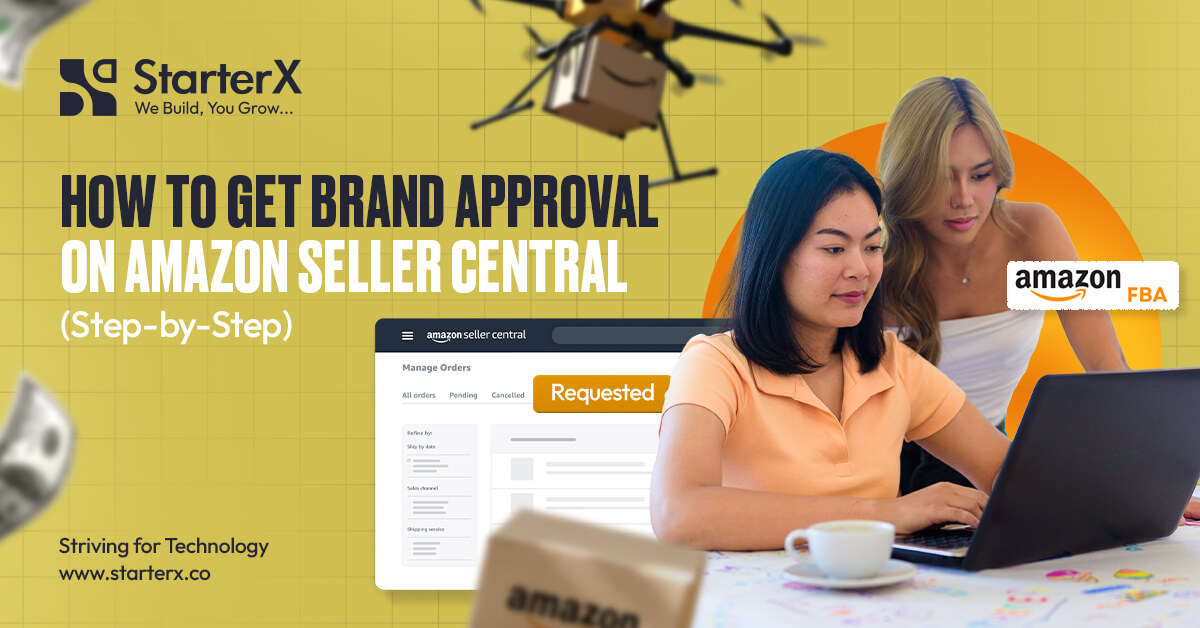
To get brand approval on Amazon, you need a professional seller account and valid proof that you’re allowed to sell the brand. This typically means submitting an invoice from an authorized supplier or a letter of authorization from the brand owner. You upload these documents through Seller Central. Amazon will then review your application and let you know if you’re approved or not.
Today, more than 60% of all sales on Amazon come from independent third-party sellers, which shows how competitive the marketplace has become. Because of this, Amazon has strict approval systems in place to control who can sell certain branded products and to protect buyers from counterfeit or unauthorized listings.
For many sellers, this process can feel confusing, especially when requirements are not clearly understood or when documents don’t meet Amazon’s standards. That’s where structured guidance or Amazon brand approval services can help streamline the process and reduce the chances of rejection.
Quick Steps to Get Brand Approval on Amazon
- Create or upgrade to a Professional Amazon Seller account
- Go to Inventory > Add a Product in Seller Central
- Search for the brand or product you want to sell
- Check if approval is required before purchasing inventory
- Click the “Request Approval” button (if the brand is gated)
- Prepare and upload a valid invoice or a letter of authorization (LOA)
- Submit clear product and packaging photos (if Amazon requests them)
- Make sure all details match across your docs and Seller Central info
- Submit your application and wait for Amazon to review it
- If approved, list and sell the product under the brand
- If rejected, correct the issues and reapply with updated documents
Many sellers try to list a branded product and get stuck at the approval step. They submit the wrong type of invoice, skip required information, or use documents from unverified sources. This leads to rejection and delays product launches.
This guide explains every step you need to take to get approved to sell a branded product on Amazon. You’ll know what to submit, how to avoid rejections, and what to do if your request is denied.
At StarterX, we’re a full-service Amazon agency. We’ve built and managed multiple Amazon stores and helped sellers navigate the brand approval process many times. We know exactly what Amazon looks for and how to prepare the documents correctly.
Key Takeaways:
- Brand approval is required for many gated brands and categories on Amazon
- Amazon accepts invoices from authorized suppliers and may request additional documents, like LOAs
- Retail receipts and screenshots are almost always rejected and are not considered valid wholesale proof
- Brand approval is for resellers, while Brand Registry is for brand owners
- Most approvals are reviewed within 1 to 3 business days
What Is Brand Approval on Amazon, and What Do You Need for It?
Brand approval on Amazon means getting permission to sell a specific brand’s products, especially if that brand is restricted or part of a gated category. Amazon uses this system to control who can sell certain branded items and to protect buyers from fake or unauthorized products.
If you try to list a product under a brand that’s protected, Amazon will block the listing and show a “Request Approval” button. You can’t move forward until Amazon checks your documentation and approves you to sell that brand.
Getting brand approval is not the same as enrolling in Amazon Brand Registry. Brand Registry is for brand owners, while brand approval is for sellers who want to list products made by other companies. Knowing the difference between Brand Registry and brand approval helps you choose the right path depending on whether you are reselling or building your own brand.
To get approved, Amazon checks if you have the right to sell that brand. This is where documentation comes in. You need to prove that your supply chain is legitimate.
What Does Amazon Require for Brand Approval?
Amazon doesn’t make the rules complicated, but it does follow strict standards. You need to provide clear, traceable documents that show where you’re getting the products and that you’re authorized to sell them.
Here’s what you’ll typically need:
1. A Professional Amazon Seller Account
In most cases, Amazon requires or strongly favors sellers with a Professional selling plan when applying for brand approval. While some approvals may still be accessible on an Individual plan, a Professional account gives you full access to approval workflows and advanced selling features.
Getting your professional Amazon seller account setup properly in place ensures you can access approval requests, manage listings efficiently, and scale without limitations. For sellers who want to avoid setup mistakes or delays, Amazon seller account setup services can help ensure everything is configured correctly from the start.
If you’re planning to sell branded or restricted products, upgrading before starting the process is the better approach.
2. A Valid Invoice from a Trusted Distributor or Manufacturer
This is the most important requirement for brand approval. Your invoice must clearly show that your products are sourced from a legitimate and traceable supplier, ideally one that is connected to the brand’s official supply chain.
This is the most important requirement for brand approval. Your invoice must clearly show that your products are sourced from a legitimate and traceable supplier, ideally one that is connected to the brand’s official supply chain. This is why finding Amazon suppliers that are reliable and properly connected to brands plays a critical role from the very beginning.
The invoice should:
- Be dated within the last 180 days
- Come from a verified distributor, wholesaler, or manufacturer
- Show a reasonable purchase quantity (commonly 10+ units, though some brands may require significantly higher quantities depending on their approval criteria)
- Include your business name and address (matching your Seller Central account)
- Include the supplier’s full name, contact details, and address
- Clearly list the brand name and product details
Not all suppliers are treated equally. A distributor may sell branded products but still not be recognized as part of the brand’s authorized supply chain. In such cases, your invoice may not be sufficient for approval or protection.
Amazon may verify your supplier directly, so all information must be accurate, complete, and traceable. Missing details, unclear invoices, or sourcing from unverified suppliers often lead to rejection.
3. A Letter of Authorization (If Required)
In some cases, Amazon may request a Letter of Authorization (LOA), especially for certain brands or higher-risk categories.
The LOA should:
- Be on official company letterhead
- Include your business name
- Clearly state that you are authorized to sell the brand’s products on Amazon
- Be signed and dated
- Include the brand’s or supplier’s contact details
An LOA is not always required for brand approval, but it adds a strong layer of credibility to your application.
It is especially important when dealing with brands that actively monitor sellers or when additional verification is required. In many situations, only the brand owner can grant permission to sell on Amazon, and distributor approval alone may not be enough.
Having an LOA can also help protect your account if the brand raises concerns about authenticity or unauthorized selling.
4. Product and Packaging Photos (Optional but Common)
Amazon may request clear photos of the actual product and its packaging. These should show:
- The product in hand, not just stock images
- The brand name is clearly printed on both the product and the packaging
- No Photoshop or mockups
- Multiple angles if needed
These images help Amazon confirm that your inventory matches what’s in the brand’s catalog.
5. Matching Information Across All Documents
Consistency matters. Make sure your business name and address on the invoice or LOA match the information in your Amazon Seller Central account. If anything looks mismatched or incomplete, Amazon will treat it as a red flag.
Brand Approval Does Not Guarantee Protection from Complaints
Even after getting brand approval, your listing is not fully protected. Amazon approval only means your documents were accepted at that time. It does not override the brand’s rights.
Brand owners can still file intellectual property (IP) complaints if they believe you are not an authorized seller or if your supply chain is not approved by them.
In many cases, sellers get approved using a distributor invoice, but later face complaints from the brand itself. Once a complaint is filed, Amazon may remove your listing or even affect your account health until you provide stronger proof, such as invoices, authorization letters, or direct sourcing confirmation.
To stay safe:
- Work with brand-authorized suppliers
- Try to build direct relationships with brands when possible
- Keep invoices and authorization documents ready for verification
Brand approval helps you get started, but long-term protection comes from proper authorization.
Step 1 – Make Sure You Have a Professional Amazon Seller Account
Before you can request brand approval, you must have a Professional Amazon Seller account. Amazon only allows professional sellers to apply for approval to sell restricted or branded products. Sellers using an Individual Plan cannot access the brand approval option.
How to check your current plan
- Log in to Amazon Seller Central
- Go to Settings
- Select Account Info
- Under “Your Services,” check your Selling Plan
If it says “Individual,” you need to upgrade to the Professional Selling Plan before continuing.
How to upgrade your account
- Click the Upgrade option on the same page
- Confirm your billing and tax information
- Review the monthly subscription fee for the professional plan
- Save the changes to activate the upgrade
Once upgraded, you’ll gain access to all advanced seller tools and permissions, including:
- The ability to request approval for gated brands or categories
- Access to bulk listing tools and templates
- Eligibility for Fulfillment by Amazon (FBA)
- Access to Brand and advertising tools within Seller Central
Why is this step important?
Amazon treats professional sellers as verified businesses. Having this plan shows that you are serious about compliance and committed to following Amazon’s brand protection policies. Without it, you cannot start the brand approval workflow, even if you have valid invoices or a letter of authorization.
A professional account also unlocks advanced tools that make selling and scaling easier. It gives you access to Brand Analytics, Sponsored Ads, and inventory management features that individual sellers cannot use.
It also allows you to apply proven Amazon product research strategies, helping you evaluate demand, competition, and profitability before choosing which branded products to sell.
Make sure your account is active and fully verified before moving on. Once you’ve confirmed your professional plan, you’re ready for the next step, searching for the brand or product you want to sell.
Step 2 – Search for the Product or Brand You Want to Sell
Once your Professional Seller account is active, the next step is to check if the product or brand you want to sell is restricted. This step becomes even more important when you’re evaluating products beforehand, as proper research helps you avoid products that are difficult to sell due to restrictions or approval requirements. This is where structured support or Amazon product research services can help identify profitable, easier-to-enter opportunities.
How to search in Amazon Seller Central:
- Log in to your Seller Central account
- Go to the Inventory tab
- Click on Add a Product
- Search using one of the following:
- Product name
- ASIN (Amazon Standard Identification Number)
- UPC, EAN, or GTIN
Amazon will display any existing listings related to your search. If the brand or category is gated, you’ll see a message that says “Listing limitations apply.” When that appears, you’ll also see the Request Approval button.
Before buying inventory, take a moment to check product eligibility in Seller Central, so you know if approval is required and what documents Amazon will ask for.
Before purchasing inventory, always check product eligibility in Seller Central to confirm whether approval is required and what documents Amazon will ask for.
If there’s no restriction, you’ll be able to list the product right away. But if the product is gated, Amazon needs more information before allowing you to sell it.
Why this step matters:
- Gating can apply at the brand, category, or ASIN level
- Even if you’ve sold other products before, you must be approved for each restricted brand
- This step helps you confirm if approval is required before gathering documents
Most importantly, always check restrictions before purchasing inventory. Many sellers buy products first and only realize later that they cannot list them, which leads to unsellable stock and financial loss.
Step 3 – Click “Request Approval” to Start the Process
If you see the Request Approval button, it means the product is gated. Clicking this button begins the brand approval process.
This action starts the request approval process in Seller Central, where Amazon reviews your documents and verifies your eligibility before allowing you to sell.
What happens next:
Once you click the button, Amazon starts a short review workflow. You’ll be asked to upload specific documents that prove you’re authorized to sell the brand. This typically includes:
- A purchase invoice from a verified manufacturer or distributor
- A Letter of Authorization (LOA) if the brand requires one
- Photos of the product and its packaging, with the brand name clearly visible
You may also need to confirm your business details. These must match the information listed on your invoice or LOA. If the names, addresses, or contact details don’t align, your application could be rejected.
Key points to keep in mind:
- The approval request is tied to a specific product or brand
- If you want to sell other gated products, you’ll need to apply for each one
- Amazon checks every document carefully, so accuracy and clarity are essential
- Incomplete or unofficial documents usually lead to rejection
Only move forward with this step when you have your paperwork ready. Once submitted, Amazon’s internal team will review your request. Most responses arrive within one to three business days.
Step 4 – Upload the Required Documents
After clicking Request Approval, Amazon will prompt you to submit documents that prove your supply chain is legitimate. These documents help Amazon verify both the authenticity of your products and the source you are using.
Documents Amazon may request:
1. Purchase Invoice
This is the most common requirement for brand approval.
The invoice must:
- Be dated within the last 180 days
- Show a reasonable purchase quantity (commonly 10+ units, though this can vary depending on the brand and category)
- Include your business name and address (matching your Amazon account)
- Include the supplier’s full name, address, and contact details
- Clearly list the brand name and product description
- Be issued by a verifiable distributor, wholesaler, or manufacturer
Retail receipts, order confirmations, and screenshots are not considered valid invoices and are almost always rejected.
Amazon may contact your supplier to verify the transaction, so all contact details must be valid and active.
2. Letter of Authorization (LOA)
Some brands or categories may require an LOA in addition to an invoice.
The LOA must:
- Be written on official company letterhead
- Clearly state that you are authorized to sell the brand’s products on Amazon
- Include your business name (matching your seller account)
- Be signed and dated by an authorized representative
- Include the brand’s or supplier’s contact details
While an LOA is not always required for initial approval, it becomes very important in situations involving brand complaints or additional verification. In many cases, only the brand itself can fully authorize Amazon sales, not just a distributor.
Important Notes Before Submission
- Submit clear, high-resolution files (PDF or JPG formats work best)
- Ensure all names and addresses match your Amazon account exactly
- Do not edit, alter, or recreate invoices in any way
Amazon checks document authenticity carefully. Any sign of manipulation, inconsistency, or missing data can result in rejection or even account-level issues.
Once your documents are complete and accurate, proceed to submit your application.
Step 5 – Submit Product and Packaging Photos (If Requested)
In some cases, Amazon may ask you to upload real photos of the product and its packaging. This helps verify that the item you’re selling matches the official branding and isn’t a counterfeit or unbranded version.
This step isn’t always required, but it’s common for first-time brand approvals or high-risk product categories like health, supplements, and beauty.
What your photos must show:
- The actual product in your possession (not a stock image or mockup)
- The brand name is clearly visible on both the product and its packaging
- A full view of the front, back, and sides of the packaging
- No edits, filters, or watermarks
- Good lighting and legibility
Amazon uses these images to confirm that:
- The product is real and physically stocked
- The brand name is printed on the label or packaging
- The product matches the one in the Amazon catalog
Photos taken from the internet, PDFs, or marketing material will not be accepted. Amazon needs proof that you have the product in hand.
Once you’ve uploaded your invoice or LOA and provided product images (if requested), you’re ready to submit your application for review.
Step 6 – Submit Your Brand Approval Application
Once you’ve uploaded all the required documents and photos, it’s time to submit your application. This is your final check before Amazon reviews everything.
Before you hit submit, make sure:
- Your business name and address on the invoice or LOA match what’s in your Seller Central account
- Your supplier information is complete and valid
- Your invoice clearly shows the product name and brand
- If required, your photos are clear and show the brand name on both the product and the packaging
Amazon looks closely at the accuracy of your submission. Any mismatch, missing field, or poor-quality file can lead to a rejection.
Once everything is in place, click Submit to send your request to Amazon’s internal approvals team. There’s no confirmation email right away, but your request will be logged under your account.
You can check the status of your application at any time by returning to the Add a Product section and searching for the same ASIN or brand. The approval status will show as either pending, approved, or rejected.
Step 7 – Wait for Amazon to Review and Respond
After you submit your application, Amazon will start reviewing your documents. This step is handled by a dedicated approvals team that verifies every detail.
Typical response time:
- Most brand approval requests are reviewed within 24 to 72 hours
- Some cases may take longer if additional verification is needed
- For high-risk brands or categories, Amazon may involve manual review
What Amazon checks during this review:
- That your invoice or LOA is from a valid source
- That the brand name matches exactly what’s in the catalog
- That your business name and contact details match across all documents
- That any product images are legitimate and clearly show the branded packaging
If everything checks out, your request will be approved, and you’ll be able to add the product to your inventory. You’ll also receive a confirmation message in Seller Central.
If your request is rejected, Amazon will usually provide a brief reason. Most rejections are due to one of the following:
- Invoices are missing the required information
- The supplier is not recognized or verified by Amazon
- Mismatched names or addresses
- Blurry or incomplete photos
You’ll still have a chance to fix the issue and reapply. We’ll cover how to handle rejections and resubmit your request in an upcoming step. For now, wait for Amazon’s response and check your account daily for updates.
What Affects Your Approval Chances Behind the Scenes
Approval is not based on documents alone. Amazon also considers your account history and performance.
Factors that can influence approval include:
- Account age and selling history
- Order defect rate and customer feedback
- Policy compliance and past violations
- Previous approval or rejection patterns
New accounts or accounts with limited activity may face stricter reviews, even with valid invoices. On the other hand, established accounts with good performance are more likely to receive faster approvals.
Building a clean and active seller account improves your chances of getting approved consistently.
Step 8 – If Approved, List the Product and Start Selling
Once Amazon approves your request, you’ll receive confirmation directly in your Seller Central account. You can now list and sell the product under the approved brand without restrictions.
What to do after approval:
- Go to Inventory > Add a Product
- Search for the same ASIN or product you were approved for
- Click “Sell this product”
- Enter your price, quantity, SKU, and fulfillment method
- Save and publish your listing
At this stage, you’ll also choose how orders are fulfilled, which comes down to the difference between FBA and FBM. With FBA, Amazon handles storage, shipping, and customer service, while FBM means you manage fulfillment yourself.
If you’re using Fulfilled by Amazon (FBA), you’ll also need to create a shipping plan and send inventory to an Amazon fulfillment center. If you’re fulfilling orders yourself (FBM), make sure your shipping settings and lead times are accurate.
Keep in mind:
- The approval is usually linked to a specific ASIN or brand
- If you want to list different products from the same brand, some may require separate approvals
- Your access can be revoked if Amazon later finds your listings violate its brand or product policies
Once your listing is live, monitor your performance and make sure your product detail page, images, and descriptions meet Amazon’s listing standards.
Step 9 – If Rejected, Fix the Issues and Reapply
If Amazon rejects your brand approval request, don’t panic. Most rejections are caused by missing information, document mismatches, or unverified suppliers. You can correct the issue and submit the request again.
Common reasons for rejection:
- The invoice is missing your business name or address
- Supplier details are incomplete or not recognized
- The brand name is not clearly listed on the invoice
- The Letter of Authorization is unsigned or outdated
- Product photos are unclear or do not show branding
- Your account info doesn’t match what’s on the documents
How to fix it:
- Review the exact reason Amazon gave in the rejection message
- Request a corrected invoice or updated LOA from your supplier
- Make sure all information matches your Amazon seller account
- Retake any required photos with better lighting and clarity
- Reupload all corrected documents through the Request Approval workflow
Amazon allows you to reapply once you’ve fixed the issues. There’s no waiting period unless Amazon explicitly tells you otherwise.
Make sure your resubmission includes all required files and that every detail is clear, consistent, and easy for Amazon to verify. Most sellers who correct the problems properly get approved on the second attempt.
Final Thoughts
Getting brand approval on Amazon becomes straightforward when you prepare the right documents, source from reliable suppliers, and keep your account information consistent.
However, approval is not always permanent. It may be limited to specific products or brands, and access can be revoked if issues arise with sourcing, compliance, or policy violations.
Also, approval from Amazon does not replace brand authorization. Even after approval, brands can still raise complaints if you are not sourcing through proper channels.
If you stay organized, avoid shortcuts, and build genuine supplier relationships, brand approval becomes a repeatable process rather than a roadblock. What Does Amazon Require for Brand Approval?
Need Expert Help With Brand Approval?
If you’re unsure about the process, your documents, or if you’ve already been rejected, we can help. At StarterX, we’ve helped dozens of sellers successfully get brand approval and launch compliant listings. Book a free consultation call and get expert guidance tailored to your specific case.
👉 Book a free consultation call now
Frequently Asked Questions About Brand Approval on Amazon
Do I need brand approval to sell every product on Amazon?
No. Brand approval is only required if the product belongs to a restricted brand or falls under a gated category. You can sell unbranded or open-category products without approval.
What kind of invoice does Amazon accept for brand approval?
Amazon accepts invoices from authorized manufacturers or distributors. It must show at least 10 units purchased, be dated within 180 days, and include your business and supplier contact information.
Can I use a retail receipt from stores like Walmart or Costco?
No. Amazon does not accept retail receipts or third-party purchase confirmations. Only official invoices from verified wholesale suppliers or brand owners are valid.
How long does Amazon take to approve a brand request?
Most requests are reviewed within 24 to 72 hours, but it may take longer if the brand is sensitive or requires manual review.
What happens if my brand approval request is rejected?
You can fix the issue and resubmit your application. Rejections are often due to missing details, invalid invoices, or brand name mismatches. Amazon allows reapplications unless otherwise stated.
Do I need brand approval if I’m selling my own private label?
No. If you’re creating a new listing for your own brand, you don’t need brand approval. However, you should register your brand through Amazon Brand Registry for added protection and features.
Registering your brand gives you access to the benefits of registering a brand on Amazon, including better control over your listings, protection against unauthorized sellers, and access to enhanced content and advertising tools.
Is brand approval permanent?
Brand approval is usually linked to your account and the specific brand or ASIN. You won’t need to apply again for the same product, but other products under the same brand may require separate approval.
What documents are required for high-risk categories like Beauty or Supplements?
Amazon often asks for a valid invoice, a Letter of Authorization, and real product photos with visible branding. These categories have stricter review due to safety and authenticity concerns.

The StarterX Team is a group of e-commerce experts with years of hands-on experience in launching, managing, and scaling online businesses. As trusted authorities in the e-commerce space, we’ve helped entrepreneurs grow successful stores on Amazon, Shopify, TikTok, and Walmart. Backed by real-world results and a data-driven approach, we deliver proven strategies and insights you can trust to succeed in the digital marketplace.