


.svg)

A phone can fit in your pocket, but can it carry an entire ecommerce business? Amazon’s official Amazon Seller mobile app lets sellers monitor sales, manage orders, update listings, check inventory, answer customers, and respond to urgent issues from almost anywhere. Mobile management is genuinely useful but useful is not the same as complete.
You can run the daily pulse of an Amazon Store from your phone. Strategic, financial, and creative decisions still need focused desktop time. The strongest setup combines mobile visibility with desktop depth.
The Short Answer: Mobile for Control, Desktop for Depth
Think of your phone as the control tower. It tells you what is selling, what is low in stock, which message needs a reply, and where attention is required. Your desktop is the planning room: it is where you compare suppliers, model profit, build listings, review advertising reports, and document processes.
If you want to start an Amazon Store while travelling, working a full-time job, or managing a small team, this hybrid model can create flexibility without sacrificing accuracy. The mistake is assuming that convenience removes the need for disciplined analysis.
What You Can Manage from Your Phone
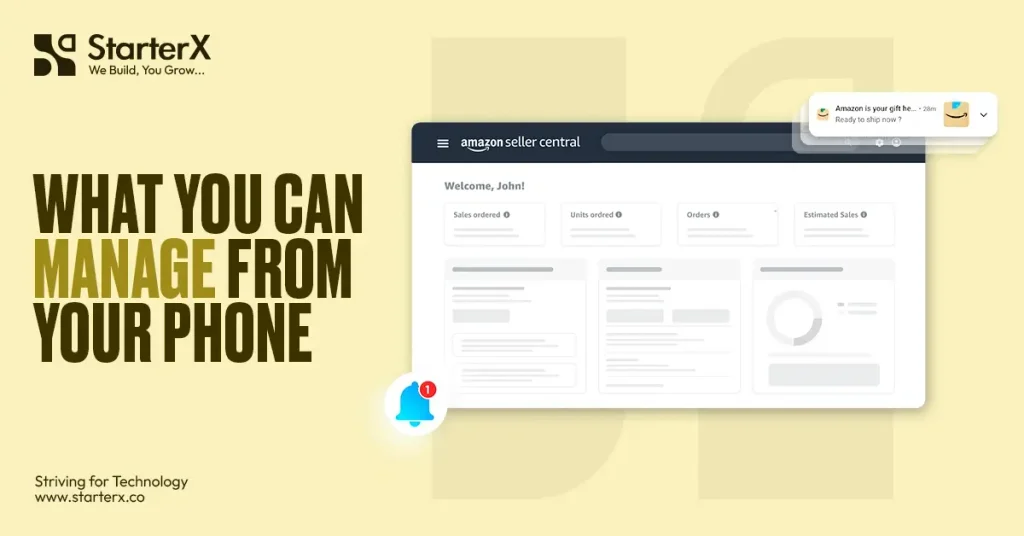
Monitor sales, orders, and notifications
A dashboard checks shows sales movement, orders, returns, and operational alerts. When a time-sensitive problem appears outside office hours, you can see the signal and take an immediate first step.
Watch inventory and pricing
You can monitor stock, spot products approaching a reorder point, make simple price adjustments, and scan barcodes while sourcing. Use the phone to identify a decision not replace a landed-cost and margin calculation.
Make small listing updates
Correcting a typo, adjusting a bullet, changing a price, or reviewing an image is practical on mobile. Large uploads, variation fixes, keyword mapping, and conversion-focused rewrites are safer on desktop.
Handle customer and account alerts
A phone makes it easier to review buyer messages, returns, and account-health notifications. Acknowledge the issue, preserve response time, and move complex cases into a documented desktop workflow.
Check advertising performance
Mobile dashboards reveal spend spikes, sales changes, and obvious campaign problems. Deeper search-term analysis, campaign restructuring, and profitability reviews belong on a larger screen with reports open.
What You Should Not Run Phone-Only
Some decisions are too expensive for thumb-sized analysis. Product research needs competitor comparisons, demand checks, fee estimates, and risk screening. Supplier selection needs quotations, samples, quality checks, and logistics planning. Financial control brings landed cost, fees, advertising, returns, taxes, and cash-flow timing into one model.
The same rule applies when you set up an Amazon store. Registration may begin on mobile, but identity documents, banking details, tax information, permissions, brand assets, and catalogue files deserve a calm desktop review. One rushed digit or cropped document can delay verification or create avoidable corrections.
Desktop work is also preferable for bulk listing edits, detailed ad reports, inventory forecasting, compliance submissions, account appeals, and standard operating procedures. Mobile speed is powerful only when the underlying process is accurate.
A Smarter Mobile-First Weekly System
Separate monitoring from analysis. Use the phone for short daily checks: orders, messages, inventory alerts, account health, and unusual ad spend. Reserve desktop blocks for research, forecasting, listing improvement, suppliers, advertising, and financial review.
Set alert thresholds before problems happen: when stock triggers a reorder review, when ad performance needs investigation, and which account notification requires escalation. Document who owns each action so the phone becomes a focused tool, not a constant interruption.
Review profit not just revenue. A strong sales day can still produce a weak margin after fees, advertising, storage, returns, and product cost. Mobile shows movement; desktop explains whether it is healthy.
Can a Phone Help You Start Faster?

Yes. Your phone can capture product ideas, scan barcodes, contact suppliers, monitor competitors, and keep launch tasks moving. But speed should follow validation. Before committing inventory, confirm demand, competition, compliance, total cost, and a realistic launch budget.
Why Choose StarterX for Amazon Store Management?
Running an Amazon business involves hundreds of connected decisions. At StarterX, we help B2B ecommerce brands turn those moving parts into a workable system from account setup and catalogue management to inventory planning, advertising oversight, and growth support. The objective is not merely to open an Amazon Store; it is to operate one with clear numbers, defined responsibilities, and fewer expensive surprises. This support is particularly valuable when the founder wants mobile visibility without becoming the only person watching every alert.
The Final Word
A phone can give you freedom when the Amazon Store behind it is structured correctly. Use mobile for visibility and urgent action; use desktop for research, forecasting, financial control, and major account changes. The goal is not to prove that every task can be done from the device in your pocket. It is to build a responsive system without sacrificing accuracy, margin, or long-term control. If you want expert oversight that keeps daily execution connected to long-term growth, explore StarterX Amazon Account Management and build a store that remains manageable no matter where you work from.
Frequently Asked Questions
Can you really make money with an Amazon store?
Yes, an Amazon Store can make money when product demand, contribution margin, inventory control, listing quality, and advertising are managed well. There is no guaranteed result. Revenue alone is not proof of profit, so sellers should calculate all fees, product costs, returns, storage, and ad spend before scaling.
Can I make $1,000 a month selling on Amazon?
It is possible, but clarify whether the goal is $1,000 in sales or $1,000 in net profit. The profit target usually requires much higher revenue. Work backward from expected net margin, validate demand, and build enough inventory and advertising budget to support the required sales volume.
How much does it cost to run an Amazon store?
Costs vary by marketplace and business model. In the US, Amazon currently lists an individual plan at $0.99 per item sold and a Professional Plan at $39.99 per month, plus referral fees and possible fulfilment, storage, advertising, software, product, shipping, and tax costs. Build a complete monthly forecast before launching.
How hard is it to run an Amazon store?
The basic controls are learnable; consistent profitable execution is the difficult part. Sellers must coordinate research, sourcing, compliance, listings, inventory, customer service, advertising, and cash flow. Clear processes and a mobile-plus-desktop rhythm make the workload far more manageable.
Is selling on Amazon worth it in 2026?
It can be worth it in 2026 for sellers with differentiated products, healthy margins, reliable supply, and disciplined account management. Competition and costs make guesswork expensive. Treat Amazon as a real operating channel, validate the economics, and use mobile convenience as a tool not as the strategy itself.

The StarterX Team is a group of e-commerce experts with years of hands-on experience in launching, managing, and scaling online businesses. As trusted authorities in the e-commerce space, we’ve helped entrepreneurs grow successful stores on Amazon, Shopify, TikTok, and Walmart. Backed by real-world results and a data-driven approach, we deliver proven strategies and insights you can trust to succeed in the digital marketplace.